|
Tiles ™
|
|
ORGANIZE YOUR WINDOWS DESKTOP
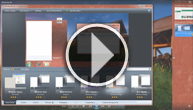
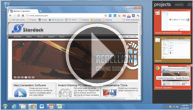
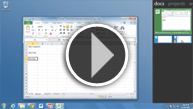
Stardock Tiles enables users to organize their Windows PC tasks into "pages" of "tiles". Tiles appears as a side-bar on a user's display. At the top, there are labels for each "page" such as "Web Browsing", "Documents" or "Apps". Users can drag and drop programs, documents and website URLs onto their pages. If a program is running, users can hold the shift-key down and drag the app onto Tiles immediately. When a program is inactive, it appears as an icon. When it's active, it appears as a live preview tile.
Tell me more about Tiles
Tiles is available as a Free Download, with additional features available for purchase, or as a Full Version at $9.95 for instant access to all of the features.
Useful for all types of users
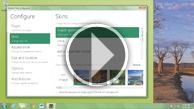
Tiles can be used as a simple "program launching utility", a tool for uncluttering running tasks or creating specific pages for projects. In addition to the various task functions, Tiles can also be skinned to fit your unique style.
|
|
LOOKING FOR MORE?
Get our flagship suite, Object Desktop!
We have an entire suite dedicated to giving you full access customization for your PC. Object Desktop includes software for animating your wallpaper, changing your cursor, organizing your desktop icons, managing your running applications and more!
Start customizing your PC now for only $49.95!
|
|
|
|

Demo video
|
Active & inactive tiles
|
Skinning options
|
Create task-based pages
|
|
|
|
|
Stardock Corporation, 15090 Beck Road, Plymouth, MI 48170
To edit your email subscriptions click here. Copyright 2011 Stardock. All rights reserved.
Windows is a registered trademark of Microsoft Corporation in the U.S. and other countries.
|
|

|
|