

Account Cart Search

Make the clipboard work your way.

work your way.

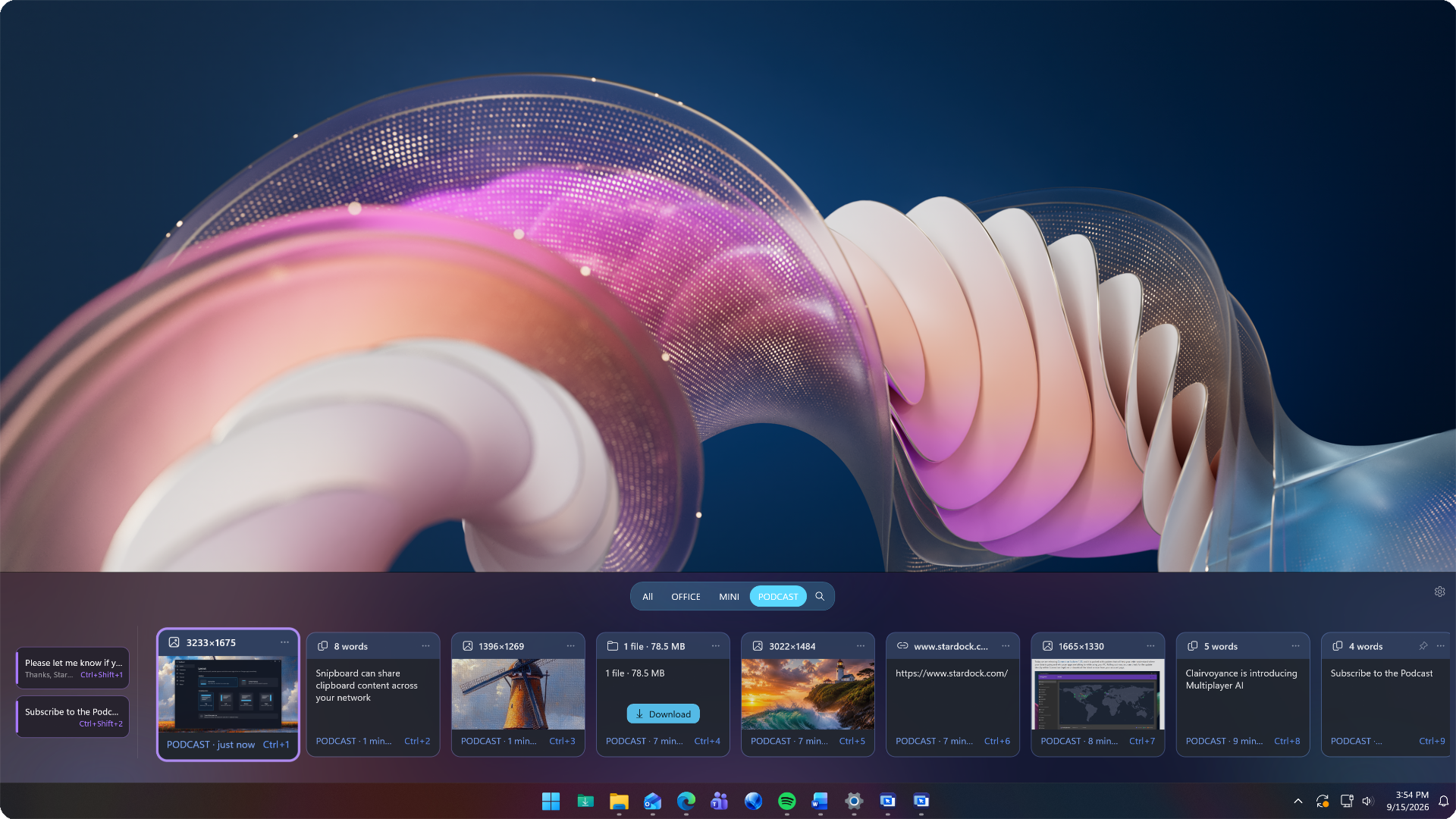
Hidden until you need it, your clipboard is always just a Win+V away.

See it. Find it. Paste it.

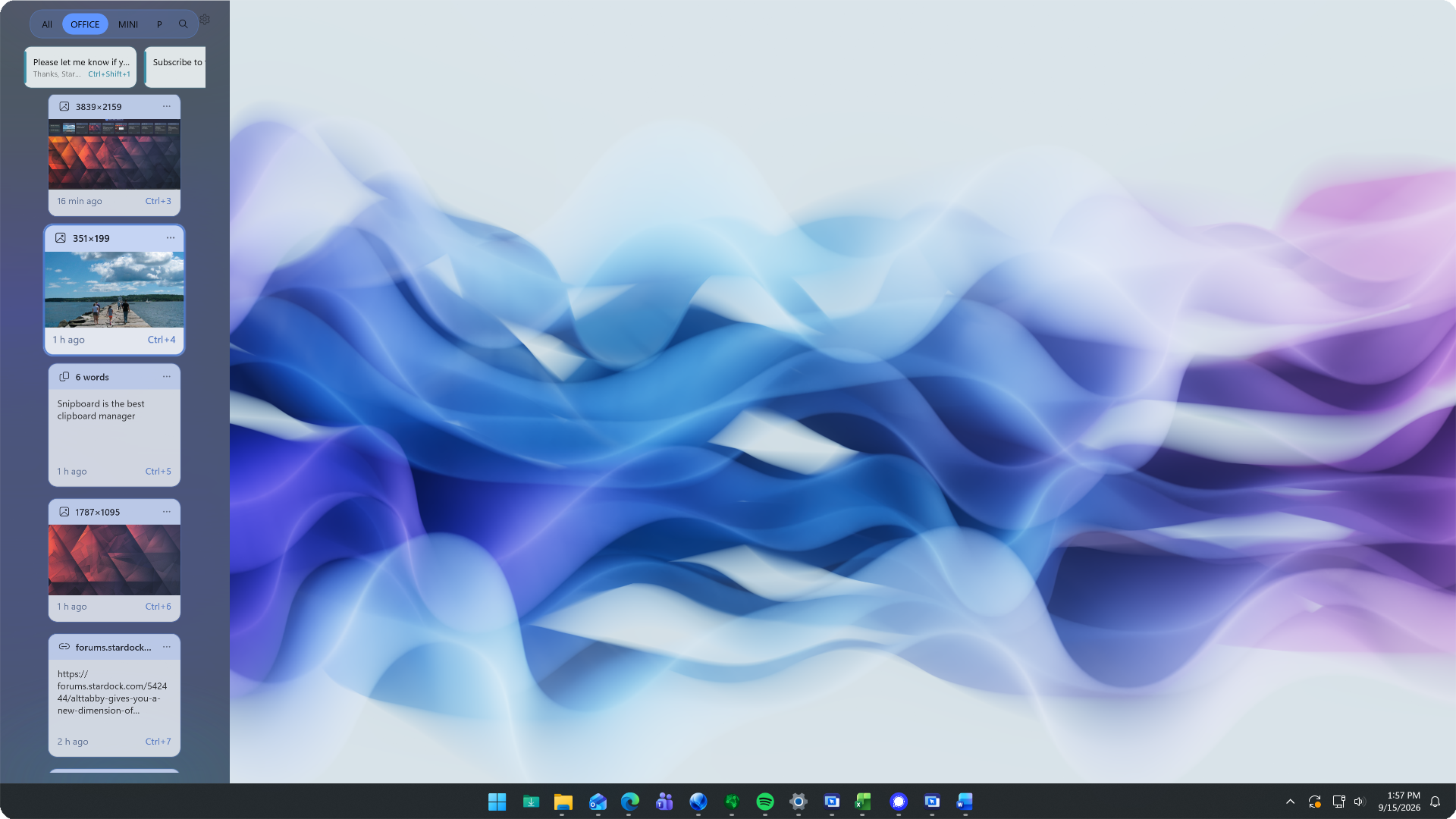
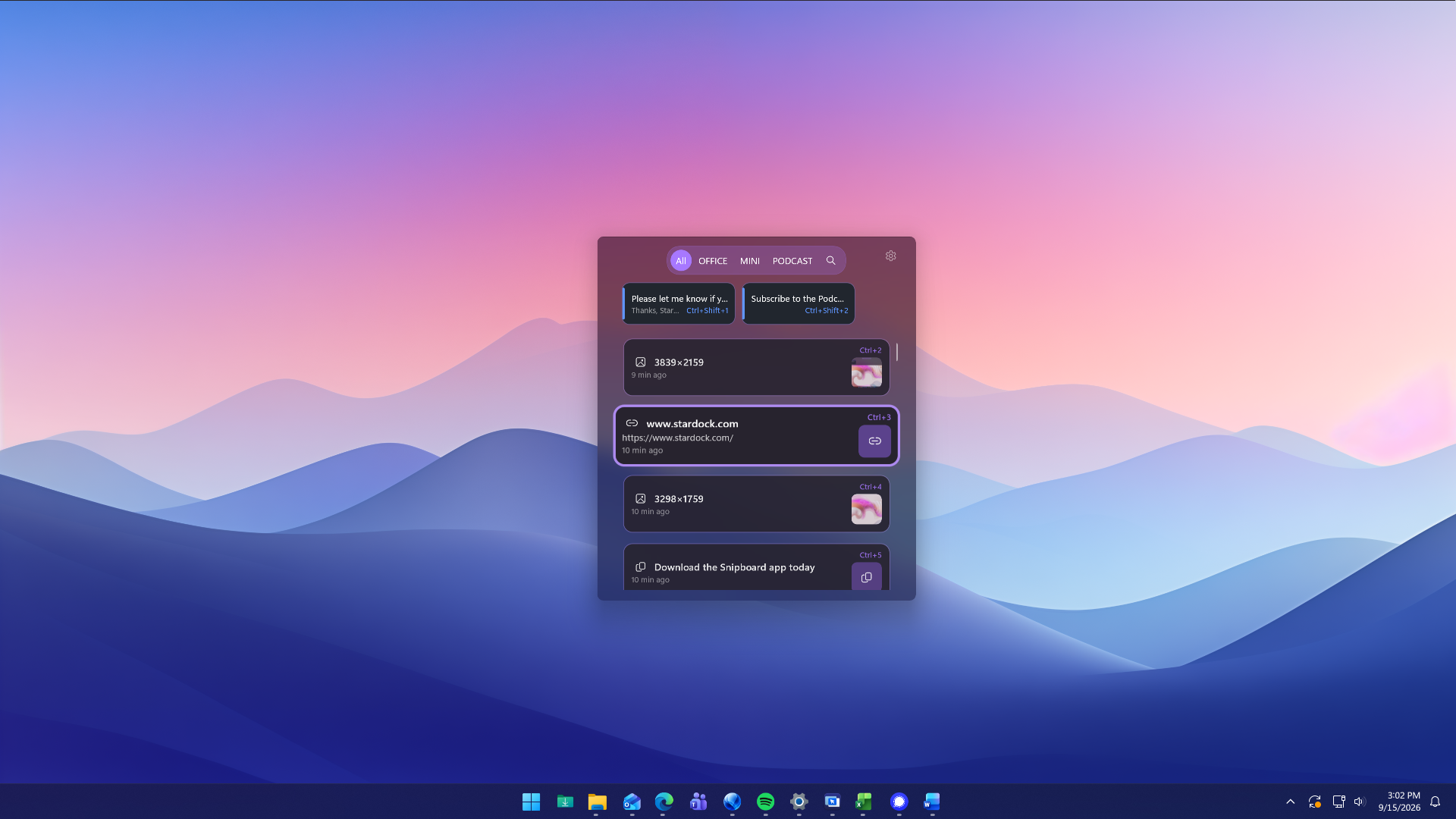
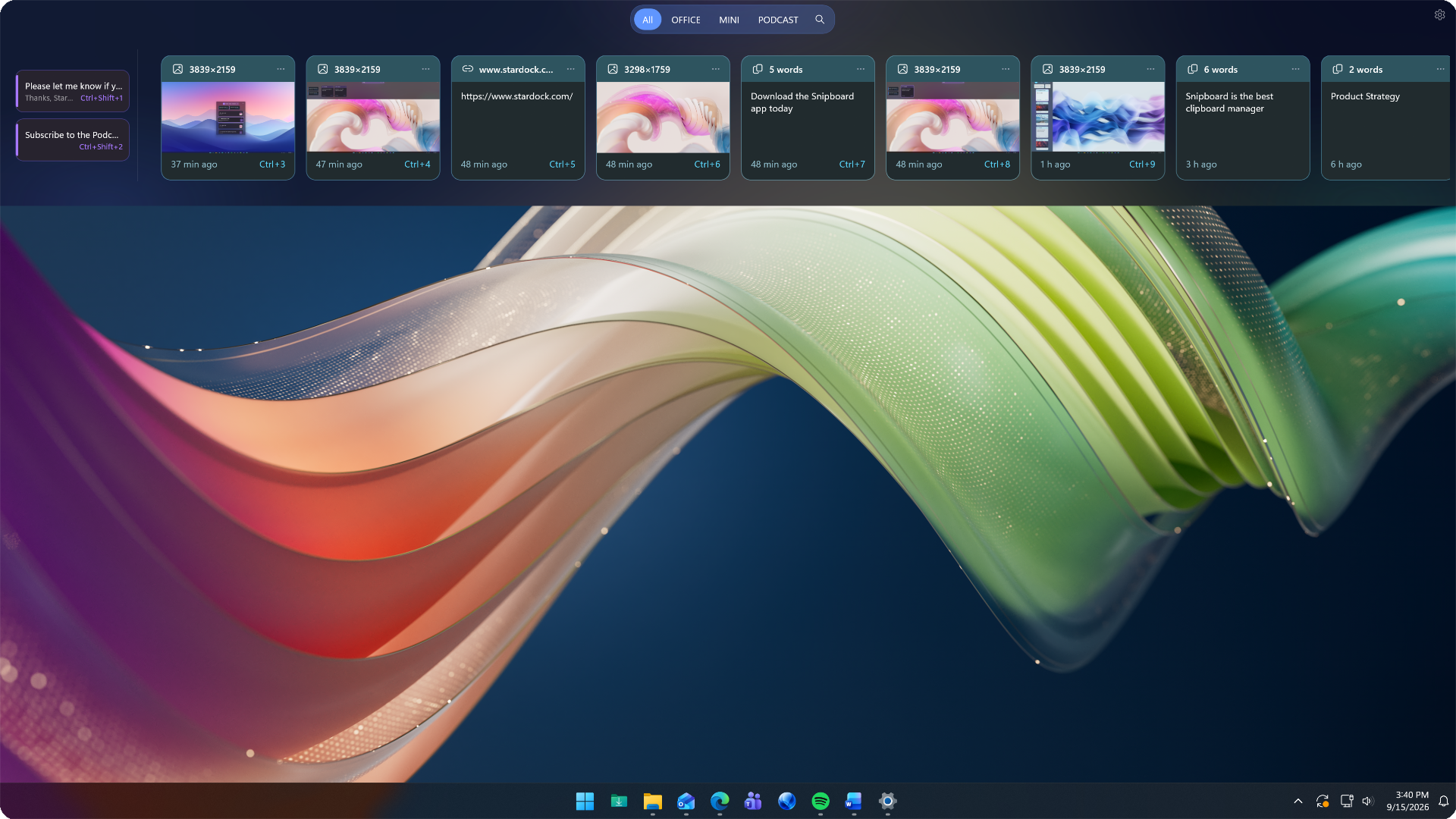
Glanceable previews make it easy to browse what you've copied. Find the text, link, or image you need and select it to paste directly into your work.

Docked to Perfection

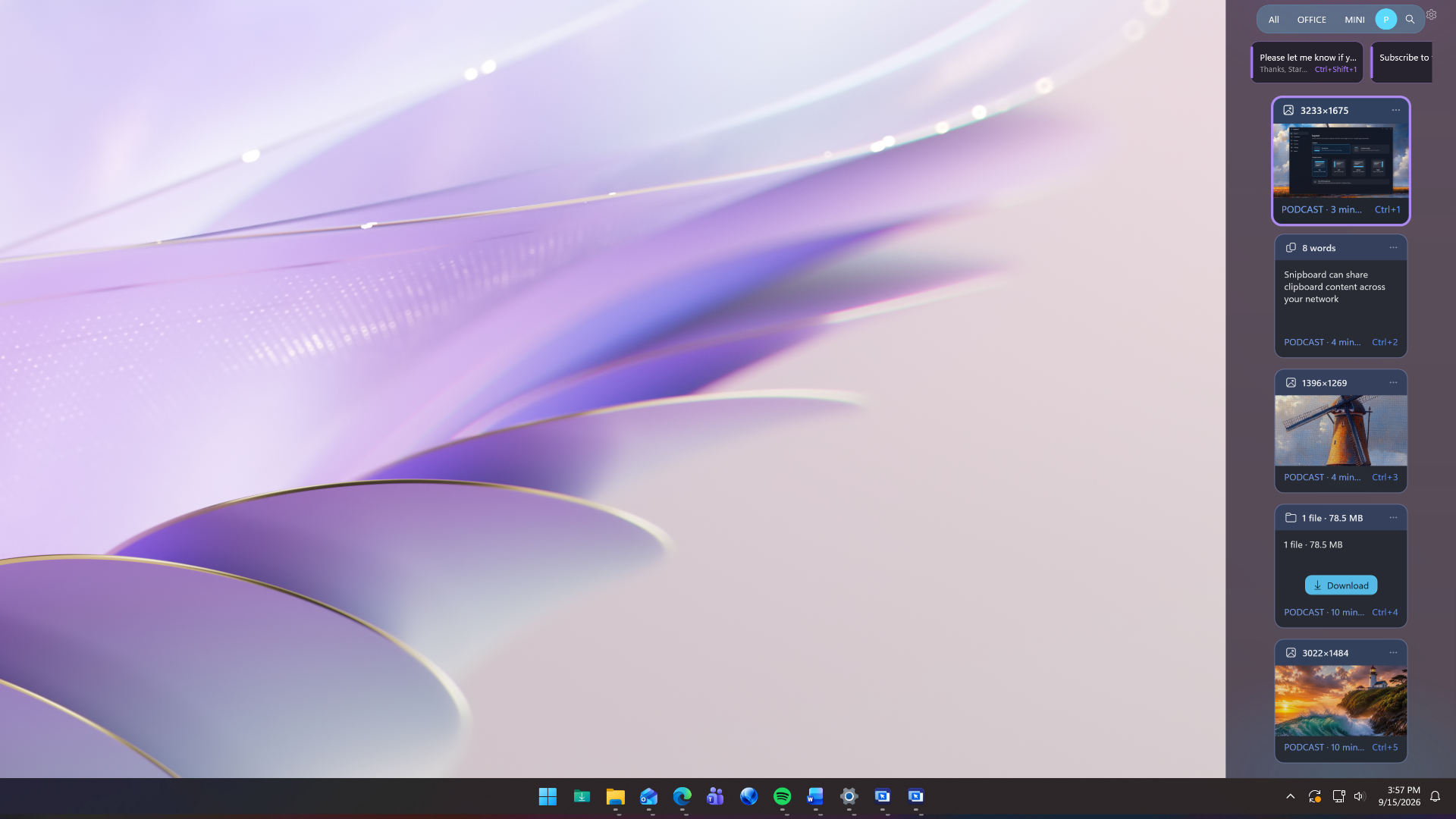
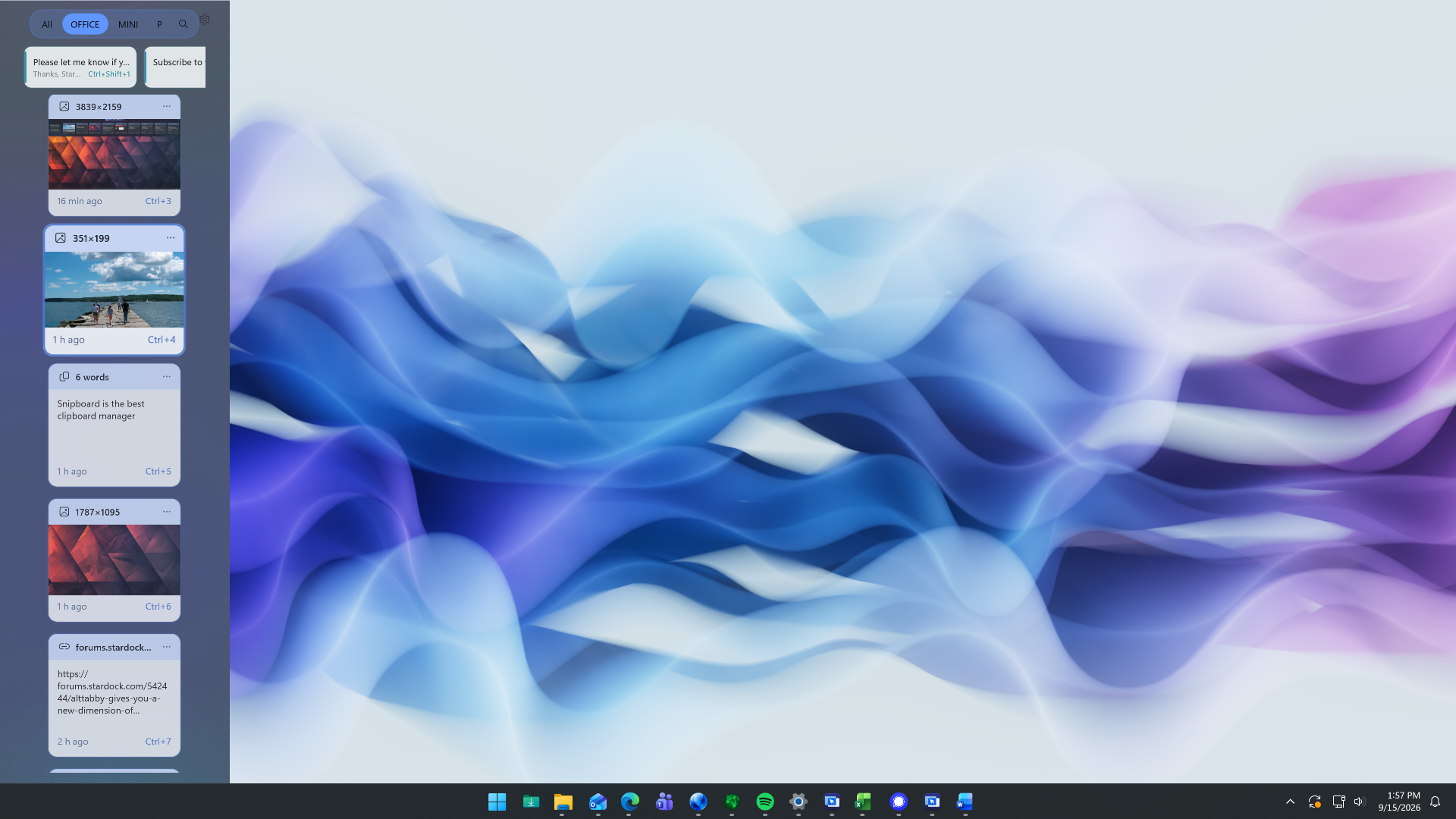
Keep your clipboard within easy reach by docking Snipboard to any edge of your screen, with a native design that feels right at home on Windows.

Snipboard - Make the clipboard work your way
Snipboard - Keep your content ready when you need it

Keep your content ready when you need it.

ready when you need it.

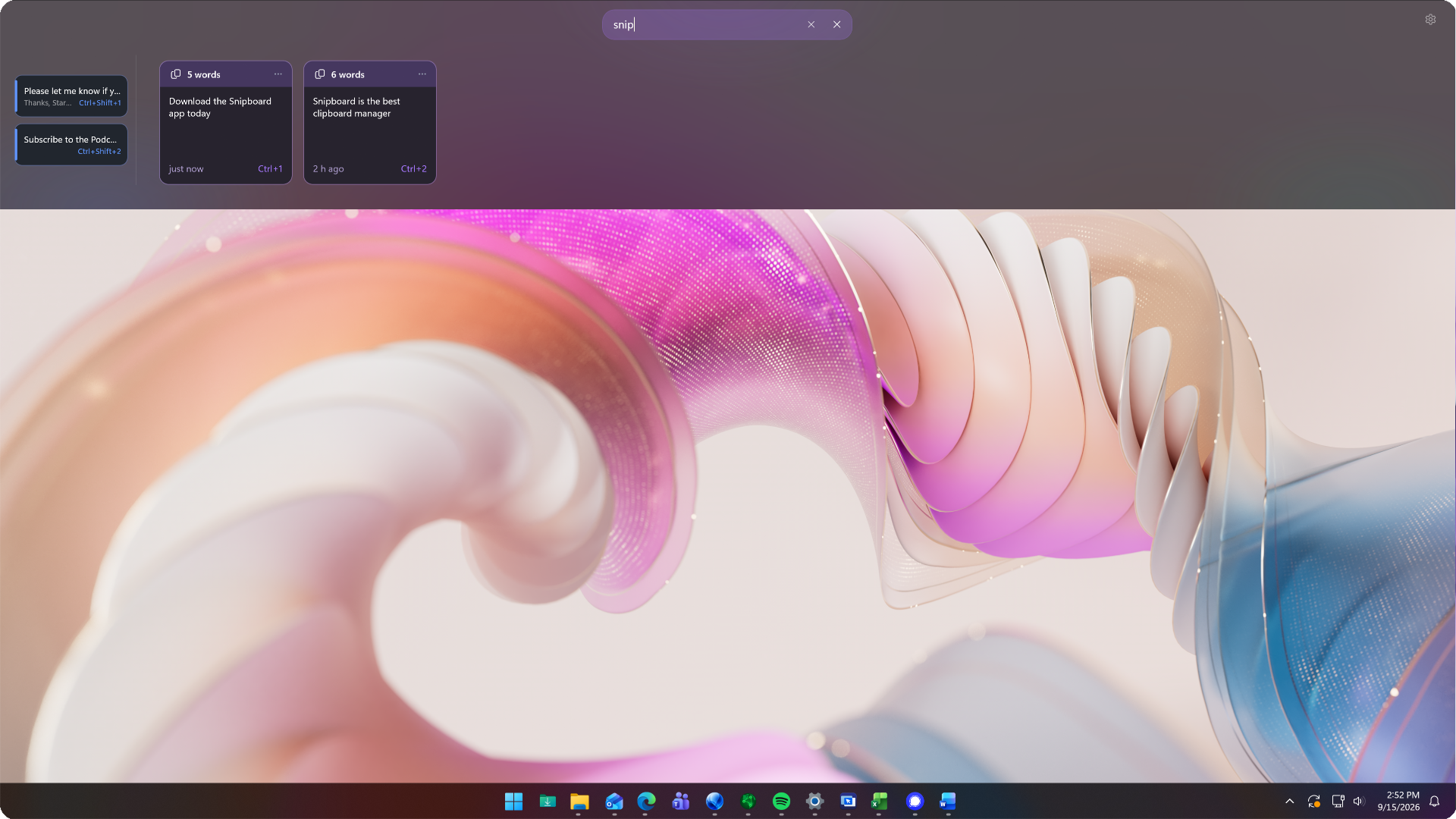
Spend less time finding something you already copied. Search your clipboard history and keep frequently used content pinned for quick access.

Find something you copied earlier

Quickly find text, links, and images from your clipboard history without reopening the original app, document, or website.

Keep your favorites close

Pin the text, links, and images you use regularly so they stay within reach as new items arrive in your history.

Copy on one PC keep working on another.

keep working on another.

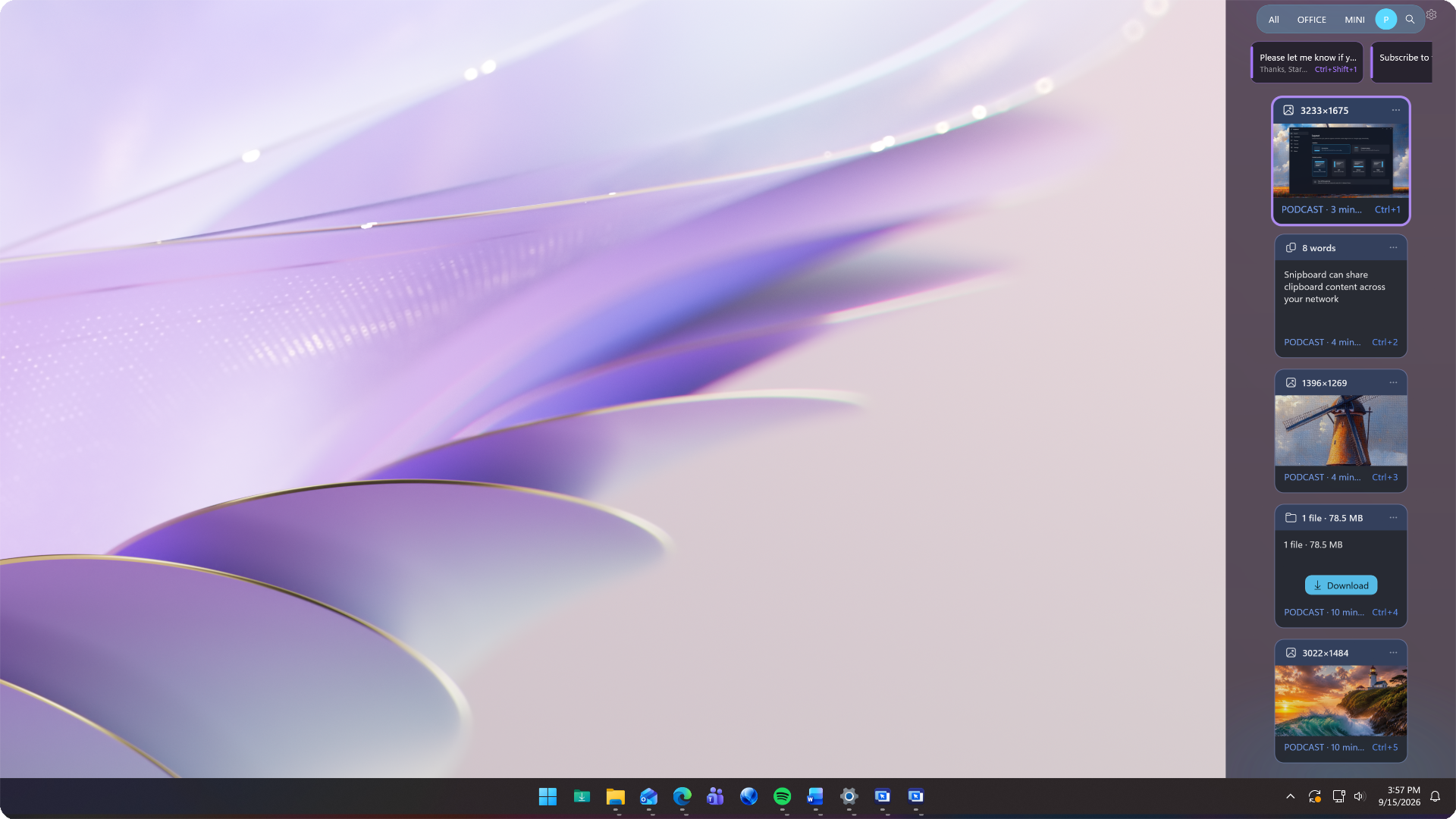
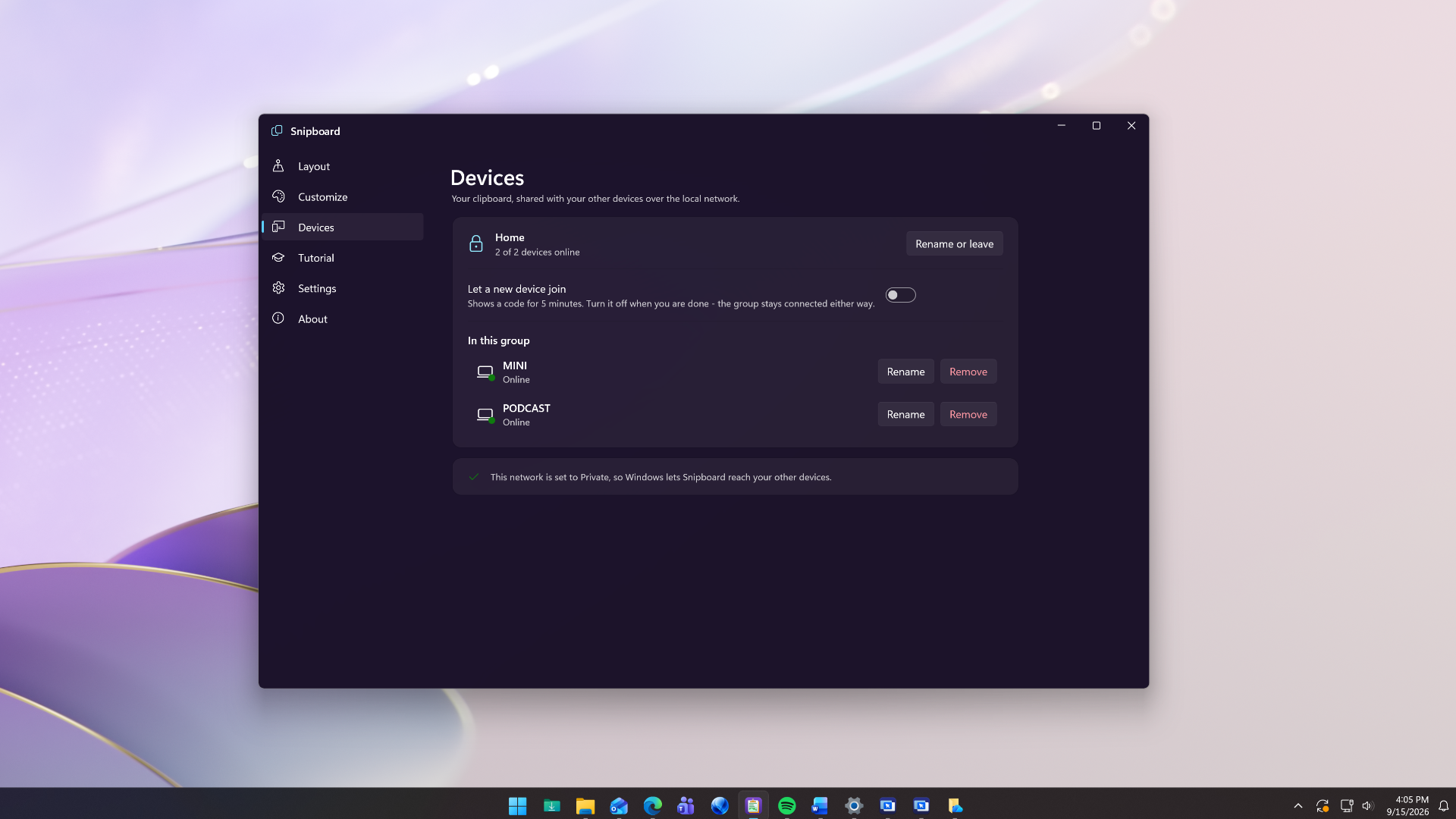
Bring your clipboard between connected PCs on your local network and spend less time moving content manually.

Your content, across your PCs

Copy text, links, and images on one connected PC and paste on another. Move between your desktop and laptop without sending yourself another message.

Move files with fewer steps

Transfer copied files and folders between connected PCs without emailing yourself attachments or reaching for a USB drive.

Snipboard - Copy on one PC keep working on another

How it's Used:

More Capability. Less Complexity.

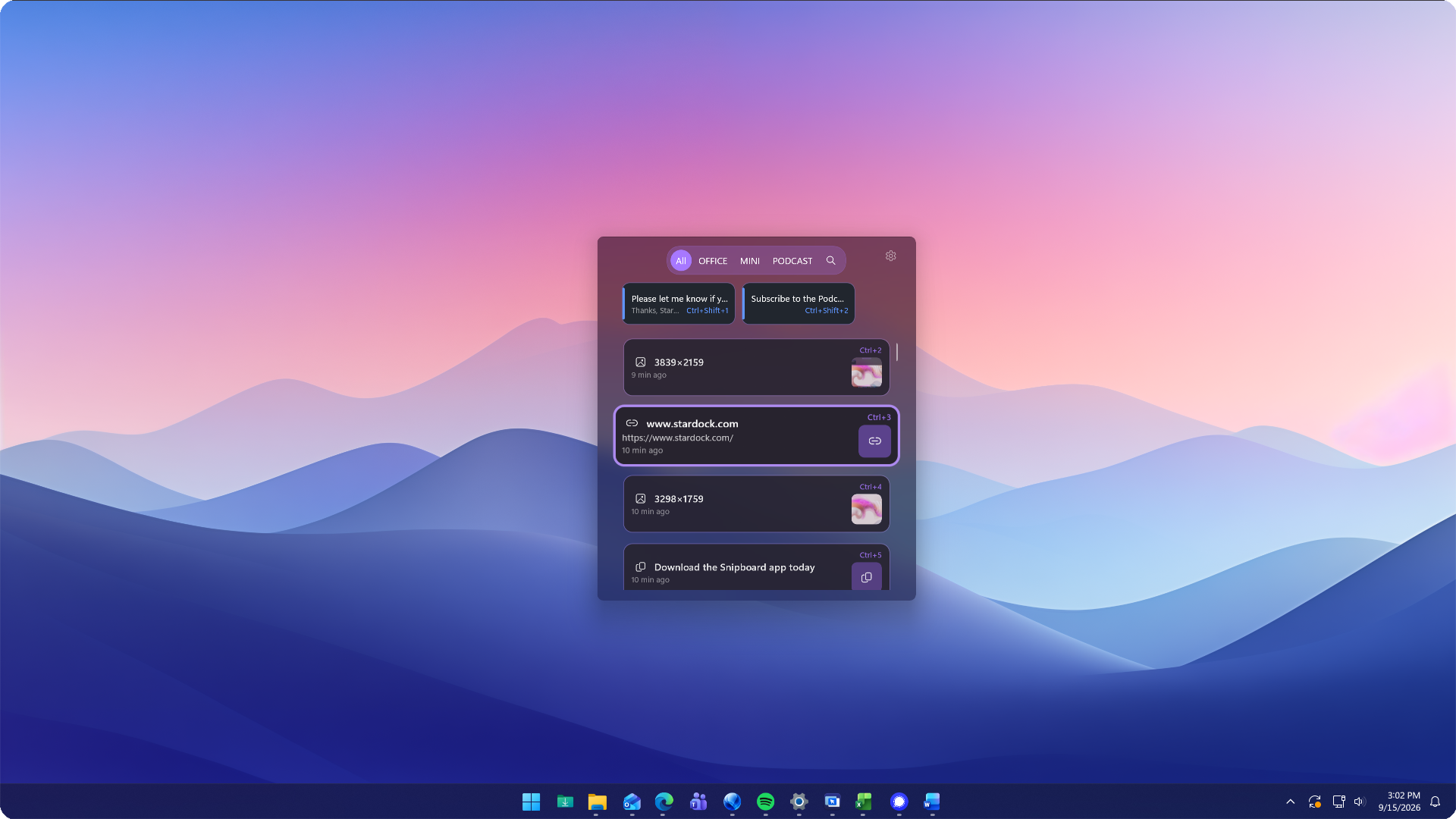
A clipboard manager should make everyday tasks easier. Snipboard puts your copied content into a clean, native Windows interface with recognizable previews and straightforward controls. Browse, search, and paste without breaking your concentration.

  • Recognize copied text, links, and images at a glance.
  • Select saved content to paste directly into your work.
  • Use familiar keyboard shortcuts to keep your hands on the keyboard.
Snipboard - Design

Stop Copying the Same Thing Twice

A link from earlier, a paragraph from a document, an image for a presentation, getting back to something you copied should be easy. Snipboard keeps your clipboard history within reach so you can spend more time using your content and less time finding it again.

  • Search your clipboard history for previously copied content.
  • Reuse text, links, and images across your everyday applications.
  • Paste text without its original formatting when you need a clean result.
Snipboard - Productivity

Keep Everyday Content Ready

Some content gets used throughout the day. From email responses and web addresses to images you add to documents, Snipboard lets you pin frequently used items so you don't have to find and copy them again.

  • Pin commonly used text, links, and images.
  • Keep reusable content available while your clipboard history changes.
  • Use keyboard shortcuts to quickly access and paste saved content.
Snipboard - Organization

Bring Your Clipboard Along

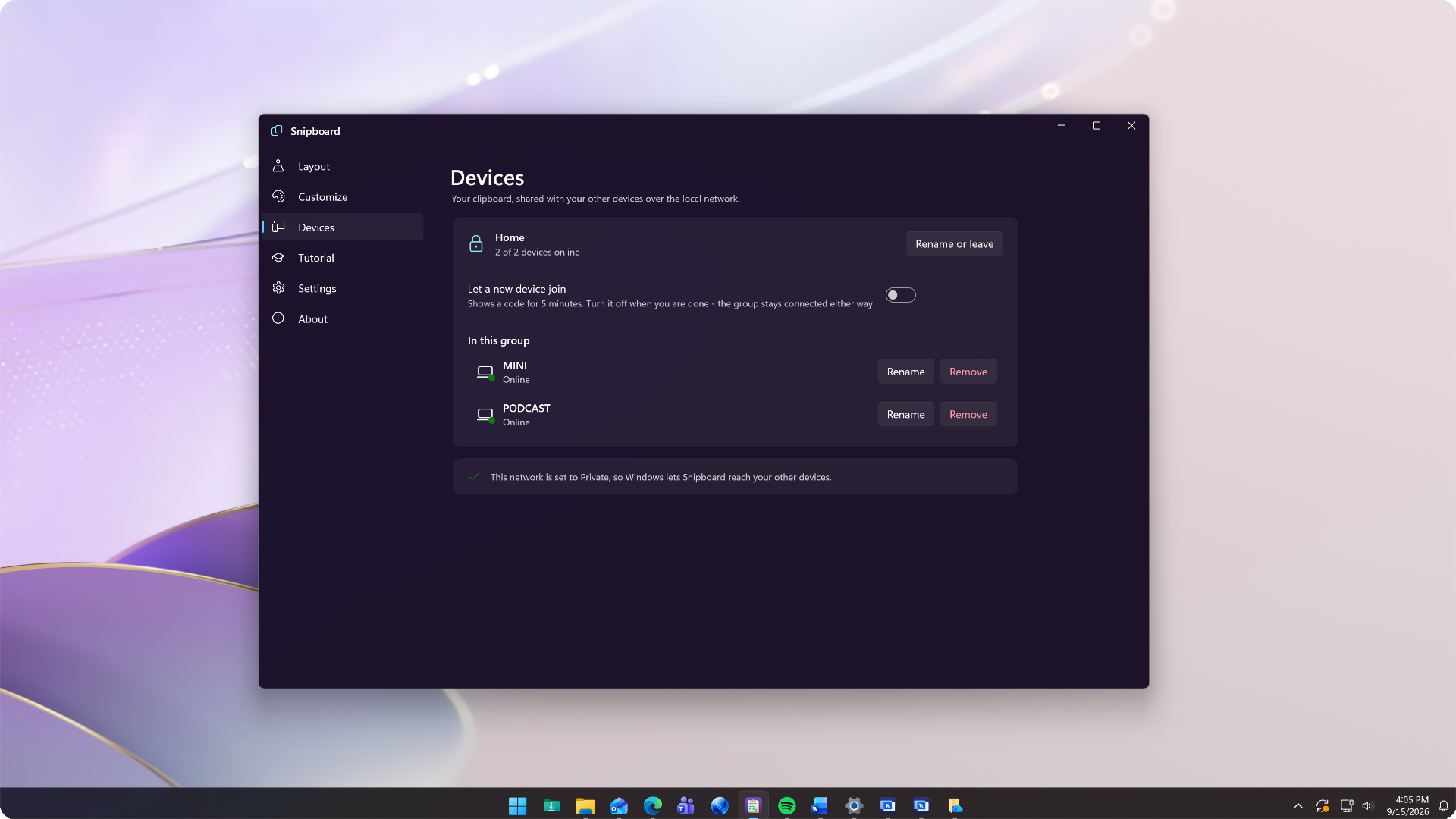
Working across multiple PCs shouldn't mean sending yourself messages just to move a link or file. Snipboard connects your clipboard across PCs on your local network, making it easier to continue your work on another machine.

  • Copy text, links, and images on one connected PC and paste on another.
  • Transfer files and folders directly between connected devices.
  • Choose whether files download automatically and set a size limit for automatic downloads.
Snipboard - Connectivity

A Clipboard That Fits Your Desktop

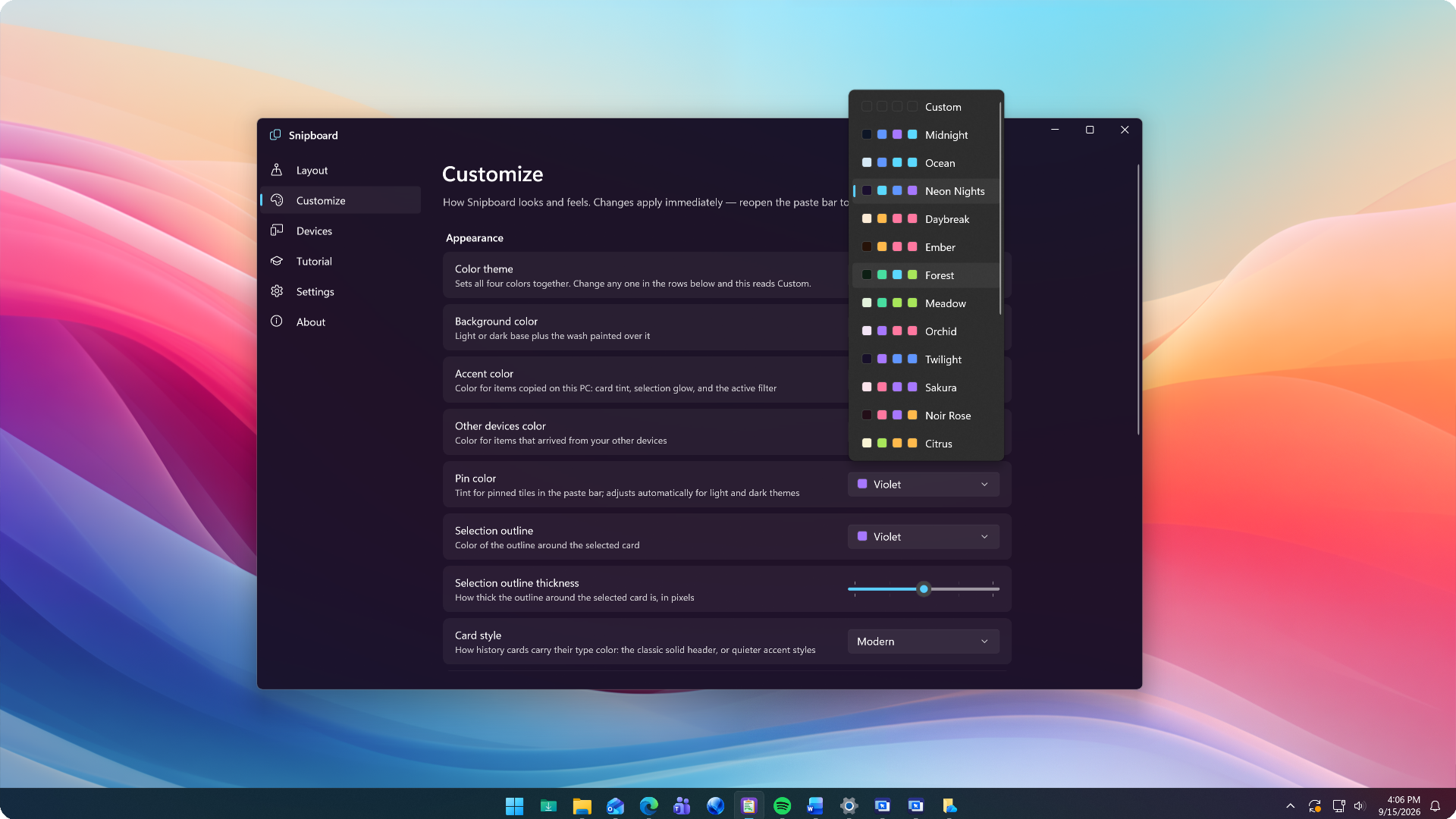
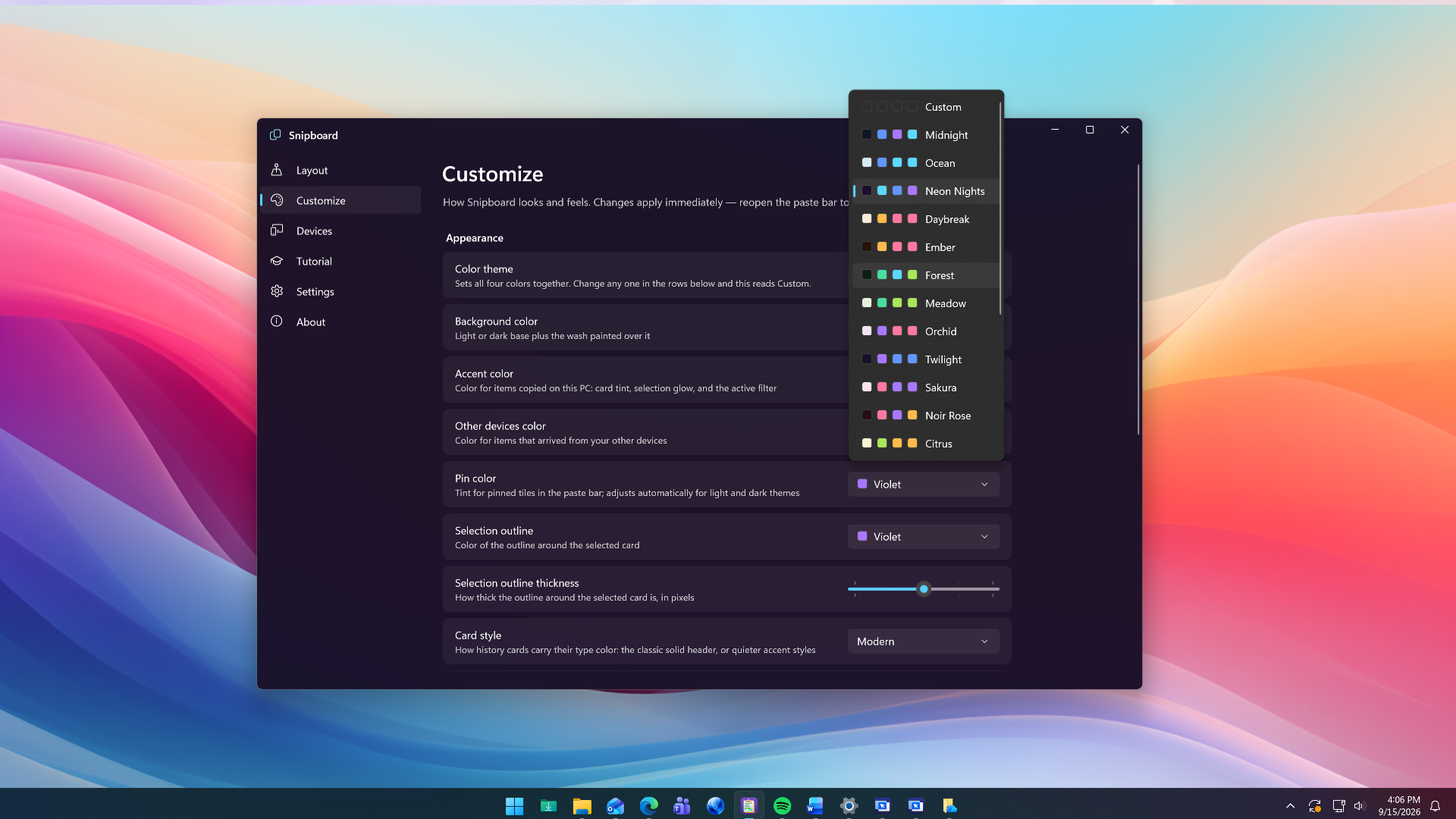
Make Snipboard feel like part of your desktop. Choose a light or dark theme, adjust the colors, and customize the details to match your preferences. Set up your shortcuts so getting to your clipboard feels as natural as copying in the first place.

  • Choose light or dark themes and customize your colors.
  • Adjust card sizes, transparency, and animation effects.
  • Customize keyboard shortcuts for clipboard access and plain-text pasting.
Snipboard - Personalization

Choose What Your Clipboard Remembers

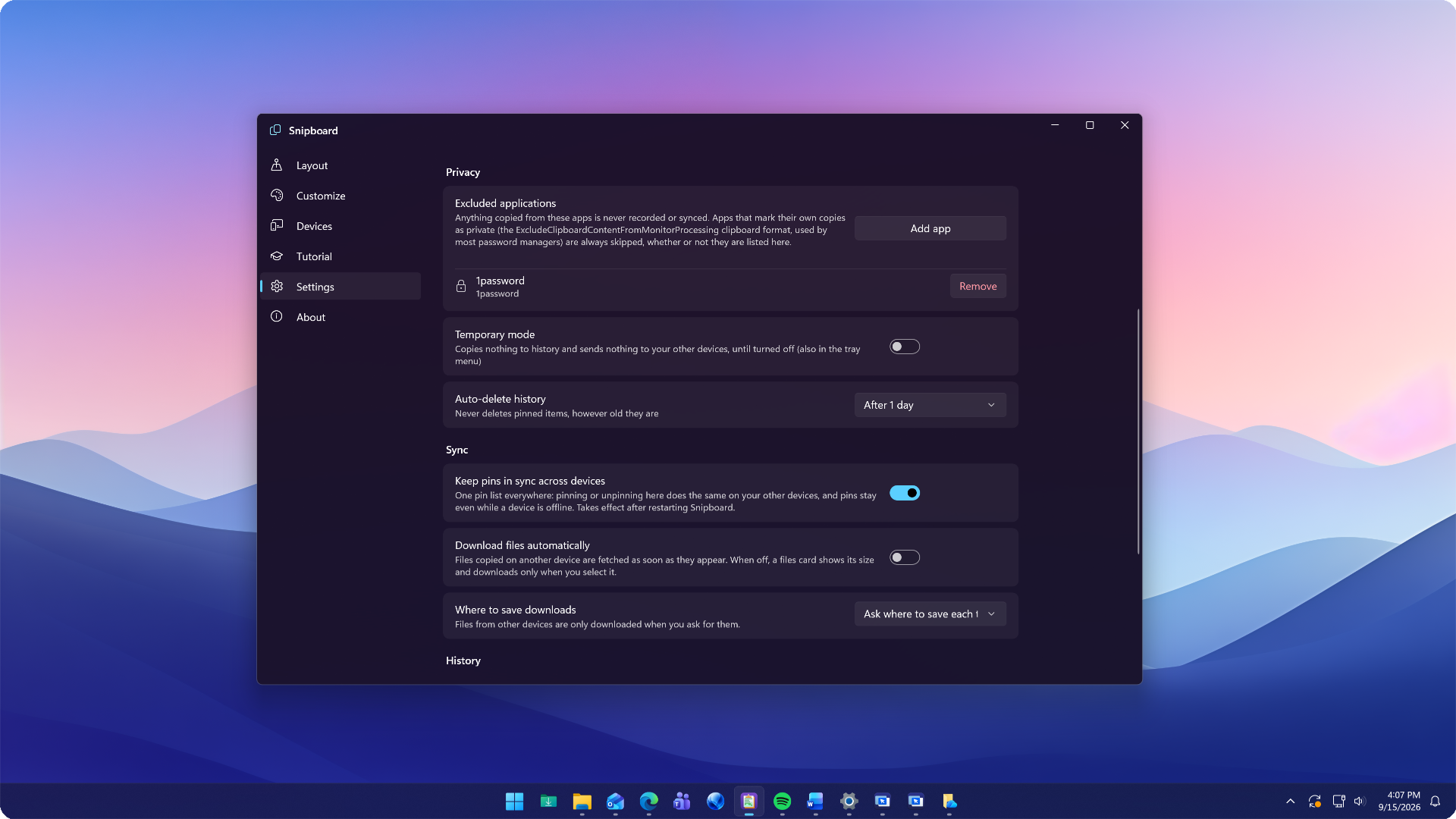
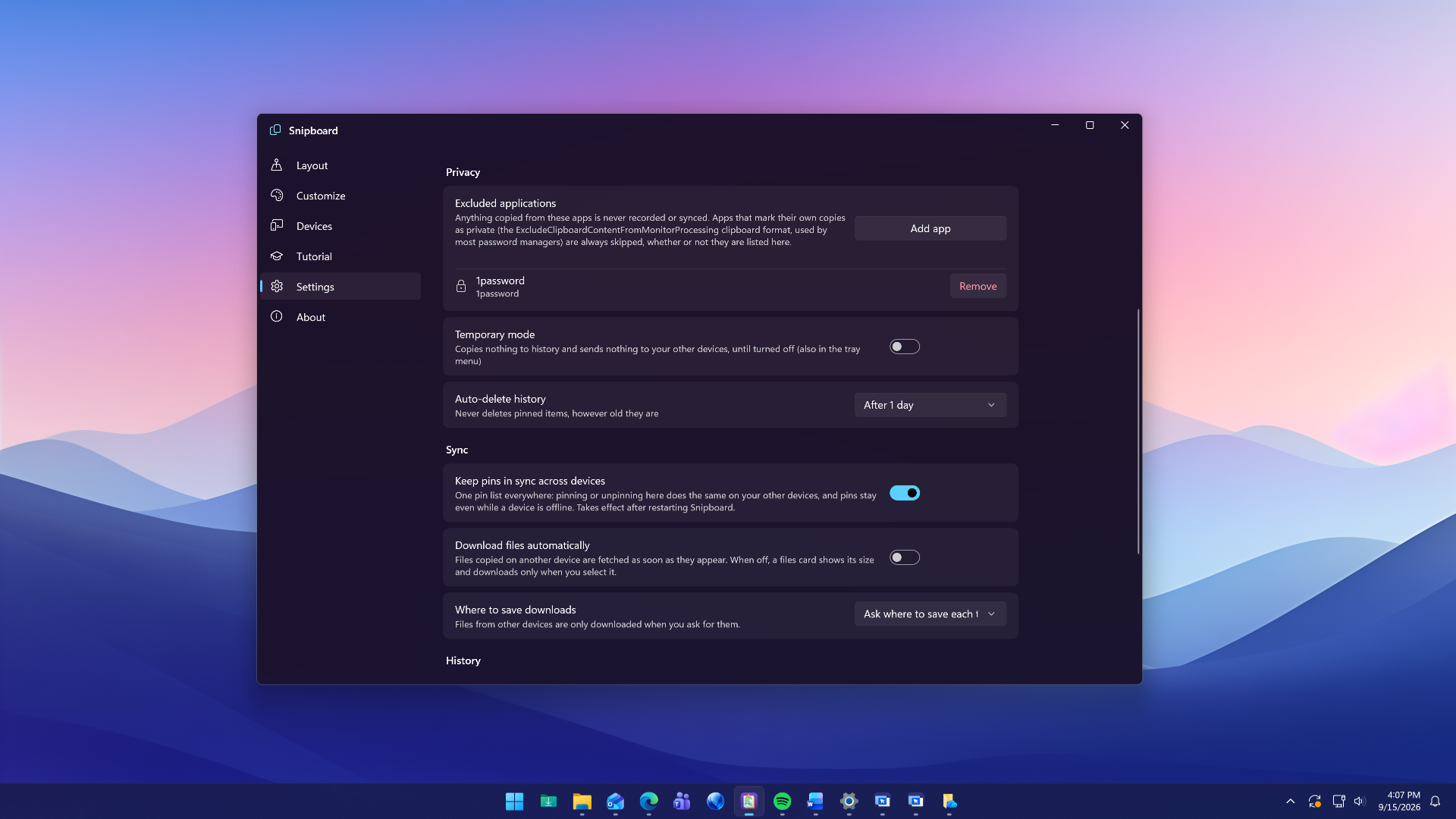
Clipboard history should work on your terms. Snipboard gives you controls for excluded applications, history retention, and device sharing so you can decide what stays available and when content moves between PCs.

  • Exclude selected applications from recording and sharing.
  • Set history limits and automatically remove older unpinned content.
  • Pause clipboard synchronization while continuing to use local history.
Snipboard - Control
  • Exclusive To

    OBJECT DESKTOP

    1 Year Subscription

    Get it Now
     

    Object Desktop is a powerful suite of desktop enhancements that transforms your Windows experience. It's like getting the next version of Windows today.

    Ideal for users who want access to our best software, with multiple activations, all for one low price.

    • Includes Snipboard and all of our popular applications
    • Up to 5 active installs
    • Manage devices with your Stardock account
    • Early access to new software
    • Early access to updates
    • 75,000 DesktopGPT Tokens Included
    • Clairvoyance Plus Access
    • Support for ARM devices
    • 1 year of support
    • Designed for Windows 11
    • Includes Object Desktop Manager for easy installation
    • More than a dozen apps included
    Start11 Fences WindowBlinds DeskScapes Groupy 2 ...
  • Upgrade

    OBJECT DESKTOP

    1 Year Subscription

    Get it Now
     

    If you have a paid registration for any of the products included in Object Desktop, you can upgrade to Object Desktop for a reduced price.

    Ideal for users who own one of our products and want access to our most popular software products.

    • Includes Snipboard and all of our popular applications
    • Up to 5 active installs
    • Manage devices with your Stardock account
    • Early access to new software
    • Early access to updates
    • 75,000 DesktopGPT Tokens Included
    • Clairvoyance Plus Access
    • Support for ARM devices
    • 1 year of support
    • Designed for Windows 11
    • Includes Object Desktop Manager for easy installation
    • More than a dozen apps included
    Start11 Fences WindowBlinds DeskScapes Groupy 2 ...
Design

Design

Productivity

Productivity

Organization

Organization

Connectivity

Connectivity

Personalization

Personalization

Control

Control