


How to Monitor Who Your PC Is Talking To
Article posted on 6/3/2026
Connection Explorer is the easiest way to monitor all the connections your PC is making. In a world where every app, bot, and browser is creating new connections, understanding to who and where your PC is connecting to is becoming more important by the day.
To help you understand this, Connection Explorer plots each of your PC's connections on a map and provides details such as the application that is connecting and the IP address. With a few clicks, you can begin searching to learn more about this connection or blocking it entirely.
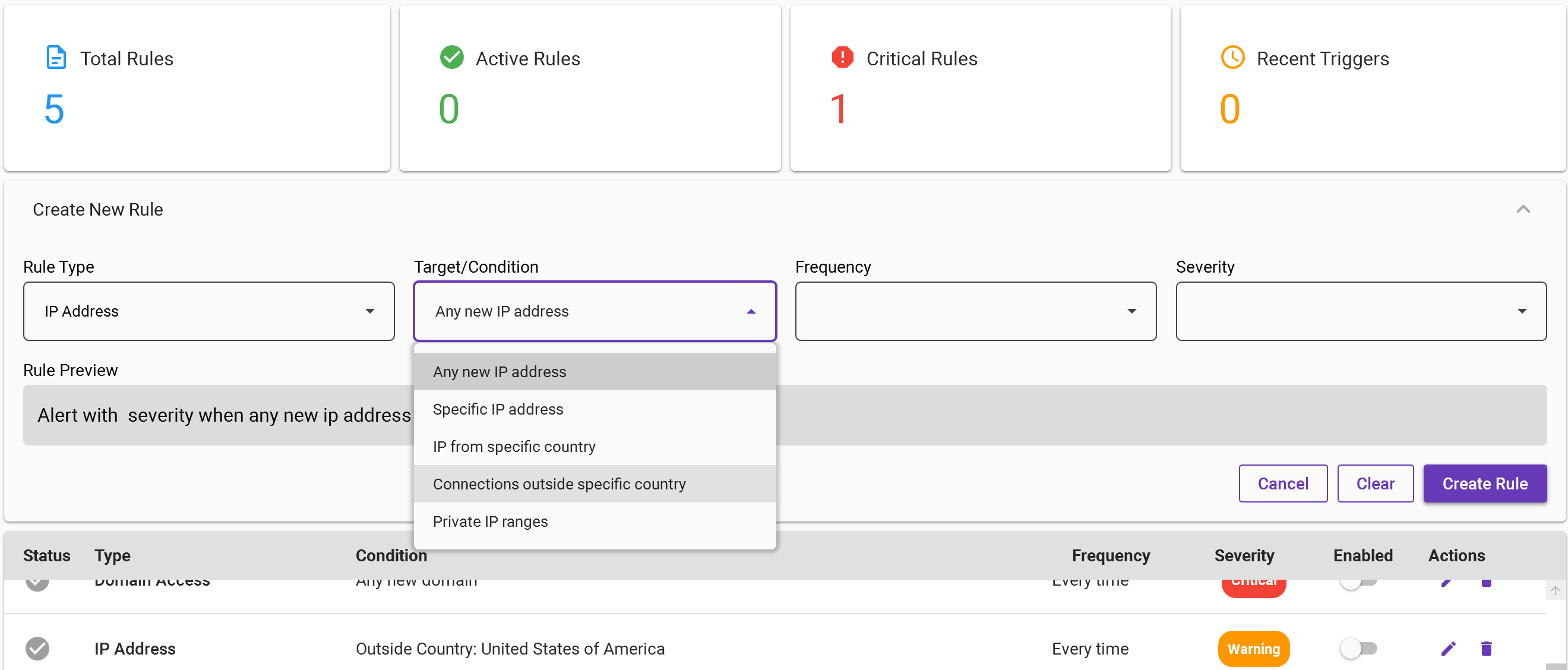
Easily Create a New Rule in Connection Explorer
But what if you don’t want to look at all your connections every single day? That’s where the automated rules system helps you understand what is happening on your device without having to monitor 24/7.
To build your first rule, open Connection Explorer, click rules and then New Rule in the top right corner. Under Rule type, there are several options and one we typically recommend for first-time users is to select IP address for the type, condition is Outside Country, and then you select how often you want to be alerted and the severity of that alert.
What this particular rule allows you to see are all of the connections to endpoints outside of your home country. In my example, I live in the United States, so I will see an alert every time a connection is made to any other country that is not the United States. And of course, you can also define rules that if a specific country establishes a connection, you are alerted as well.
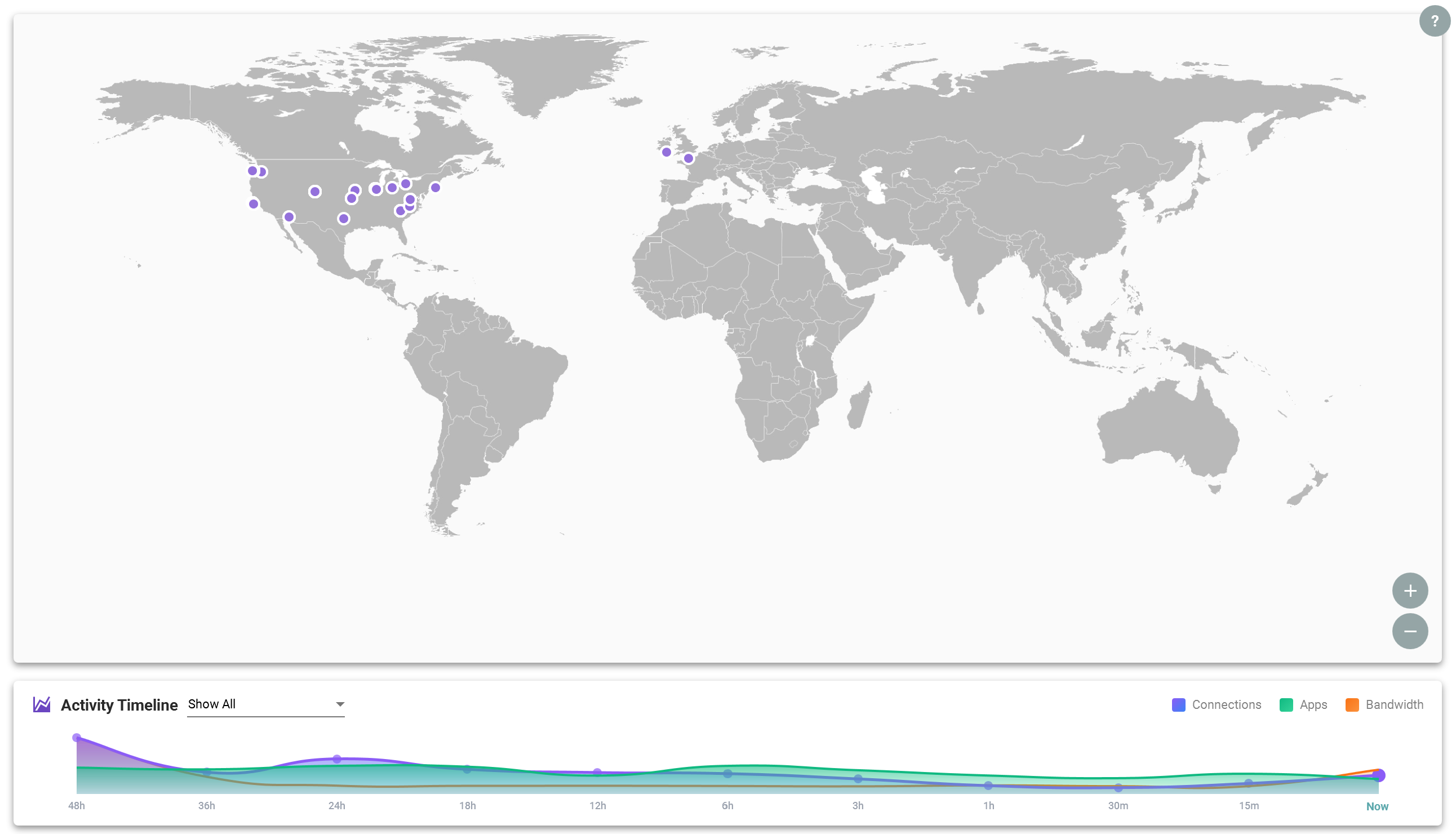
View all connections on a map and your bandwidth usage from the Home panel.
Once the rule is created, it will show up under Alerts for you to review which application is connecting to the condition that meets the rule that you have defined. There are five different rule types, each with their own Condition, so that you can setup a monitoring system that helps you better understand what your PC is doing, even if you aren’t watching it all day long.
If you haven’t tried Connection Explorer yet, you can learn more about it on the app page and of course, it’s included in the award-winning suit of applications, Object Desktop.

