


How to Easily Generate Wallpapers Using Your GPU
Article posted on 6/16/2026
If you’ve built or bought a new PC in the past couple of years, there’s a good chance you already have a GPU that can handle modern games with impressive visuals. And if you’re chasing the best graphics possible, today’s GPUs are incredibly powerful pieces of hardware that can deliver some of the most advanced visuals available in gaming.
Most people think of a GPU as the thing that makes games look better and run faster. And while that’s certainly true, modern GPUs are also incredibly capable at accelerating various types of workloads like video/photo editing, simulations, and of course, running AI locally.
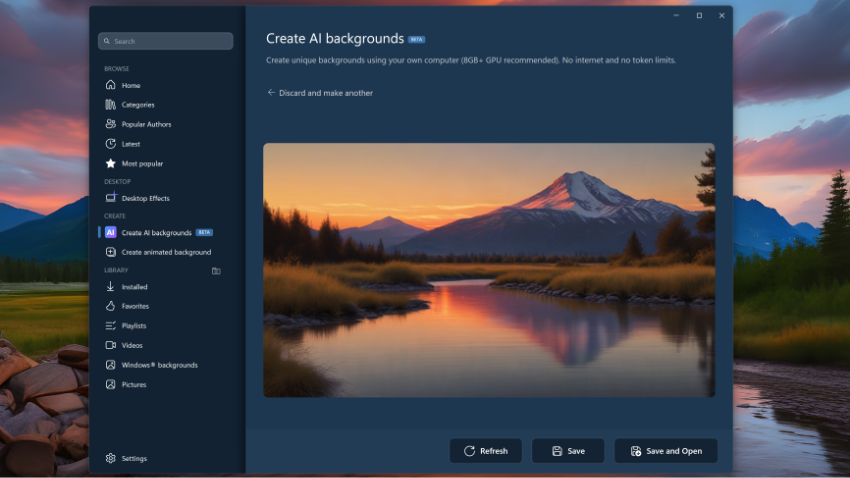
In the newest version of DeskScapes, we are including new features that help you take advantage of your GPU to generate images, all on your device, without any tokens or subscriptions required. Which means if you have a high-end piece of hardware, you can get even more value out of your purchase.
To generate a desktop wallpaper, open up DeskScapes 26, click “Create AI backgrounds” and enter your prompt. On the right side you will see the different model options that are available for your hardware with higher-end GPUs having better models to create the highest-quality images.
Enter your prompt, select the desired options, and then wait a few seconds and the image will be generated. All of the generation happens locally on your hardware which means if you don’t love the output or want to refine it further, you can do so without any worry about running out of tokens, credits, or running up fees for using someone else's services.
And because this is DeskScapes, there are a wide variety of options about how to enhance the image with animations and effects along with a browsing functionality to explore the full Wincustomize library from within the application.
If you haven’t tried DeskScapes 2026 yet, you can learn more about it on its app page and it is also included in the award-winning suite, Object Desktop.

