


Clairvoyance Beta 3 brings the AI office onto your own machine
Article posted on 7/23/2026
Stardock Puts an AI Staff on Your Desktop with Clairvoyance Beta 3
New release lets users direct a persistent team of AI agents to do real work: locally, across providers, and for free
Today we released Clairvoyance Beta 3 for Windows, Mac, and Linux. It is free to use, and you can download it now at https://www.clairvoyanceai.com/
Clairvoyance is a desktop app where you direct a staff of AI agents instead of chatting with a single model. It works with Claude Code, Codex, Copilot, Cursor, and Grok Build, along with its own Clairvoyance AI and local models. Instead of asking an AI questions, you assign it tasks, and it builds a team to get them done. That staff sticks around between reboots, too, and builds up memory and expertise on the projects you assign.
"We developed Clairvoyance to save human jobs," said Brad Wardell, Lead Architect of Clairvoyance. "Current AI workflows have far too much friction to use for most people. As a result, people are either not using them or aren't able to get good results with them."
What's new in Beta 3
Build your own AI organization. You do not need to know the difference between Opus, Sol, Grok, or Composer. Hand a single agent a task and it hires a staff at the right models and effort levels to get it done, or drag and drop agents to build the team yourself.
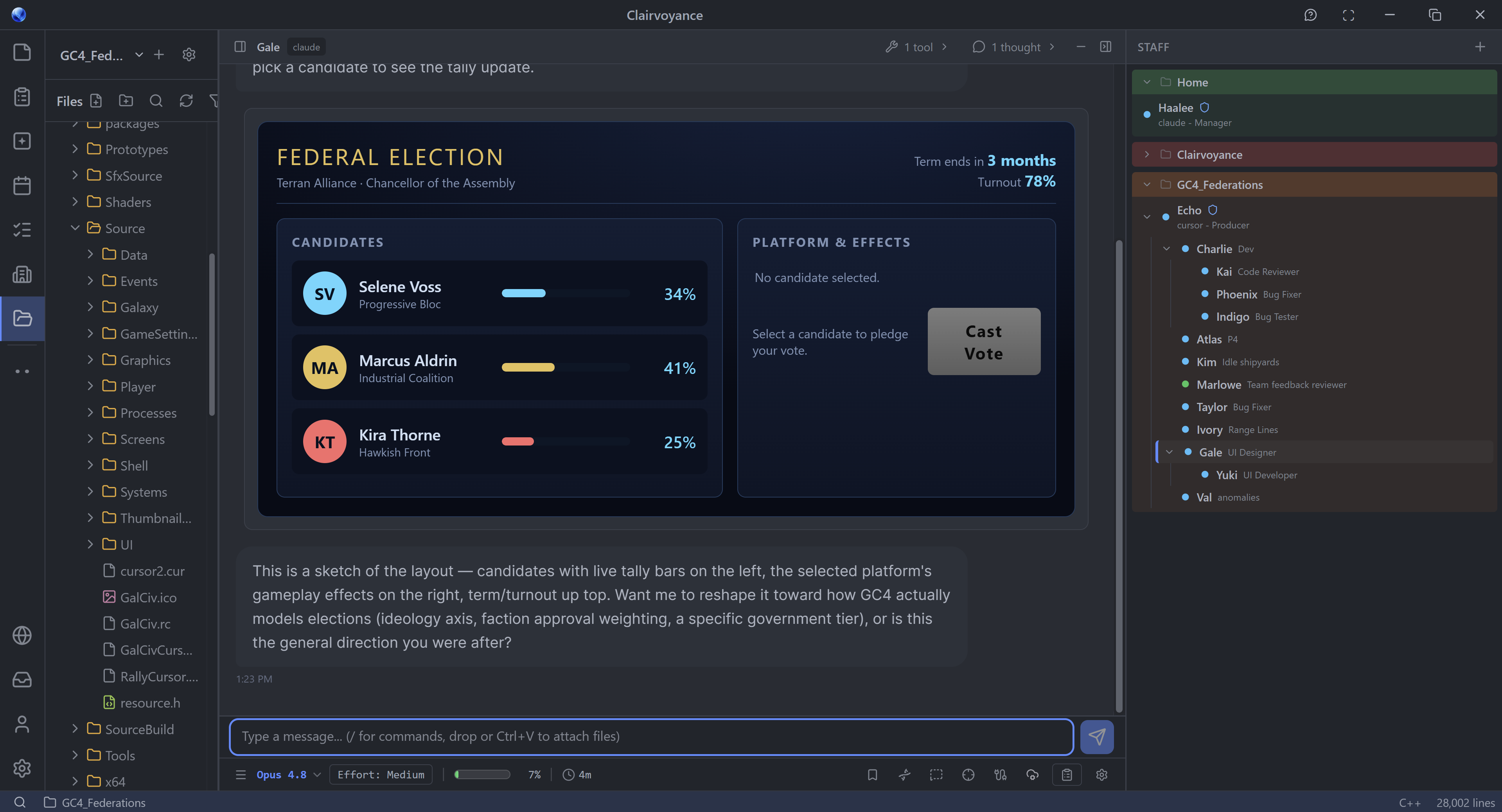
ClairvoyanceAI Direct Panel view showing the rich chat interface and staff org chart.
Local AI upgrades. Local models are now trivial to install and run in an environment tuned for them, with MCP support, sandboxed tools, and messaging between agents. Local and cloud models can work the same jobs together.
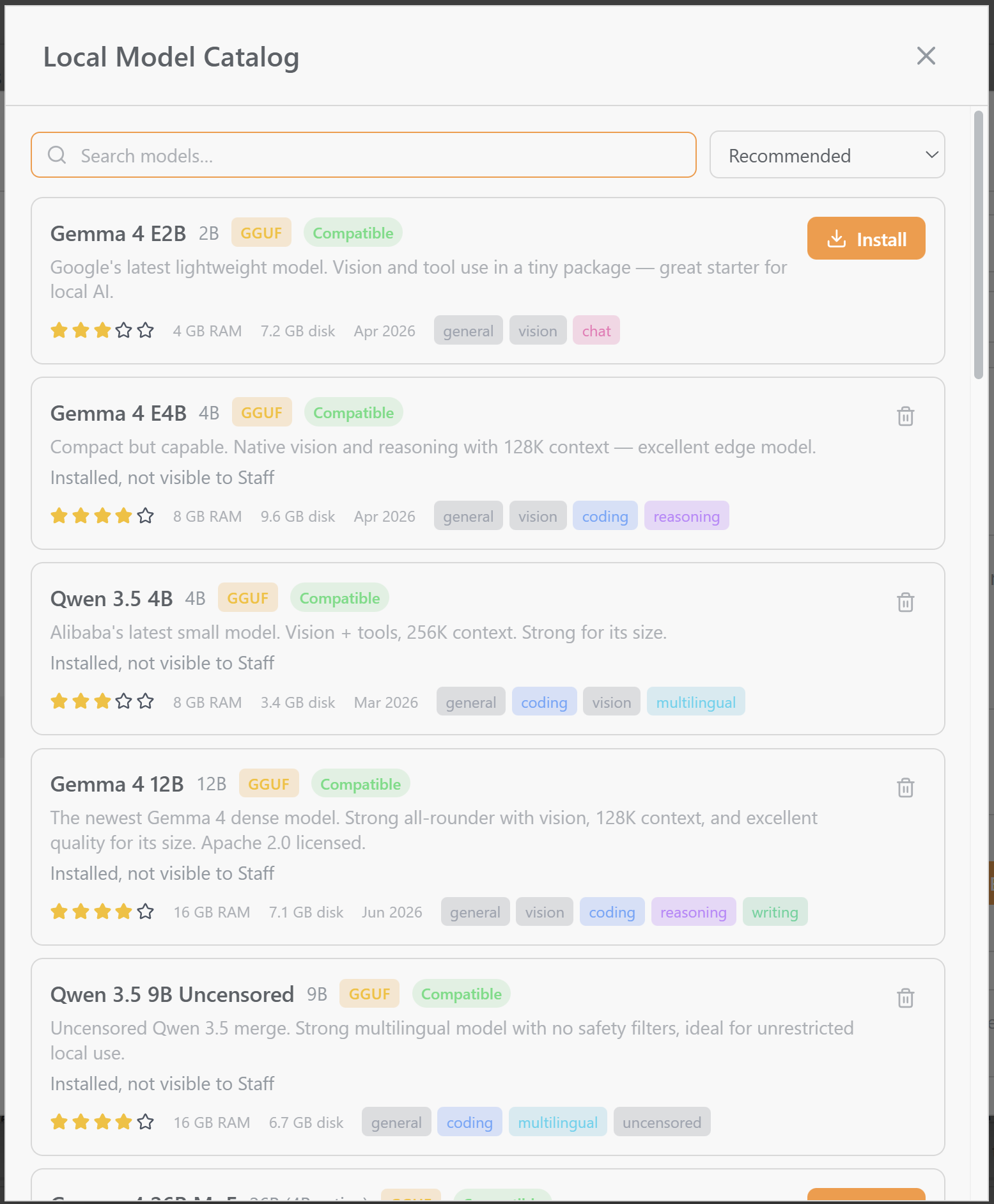
Local model selection with single-click download
Universal Resume. Any agent can pick up any other agent's session, even across providers. A Claude conversation can continue under Grok Build, and a GPT thread can move to Cursor.
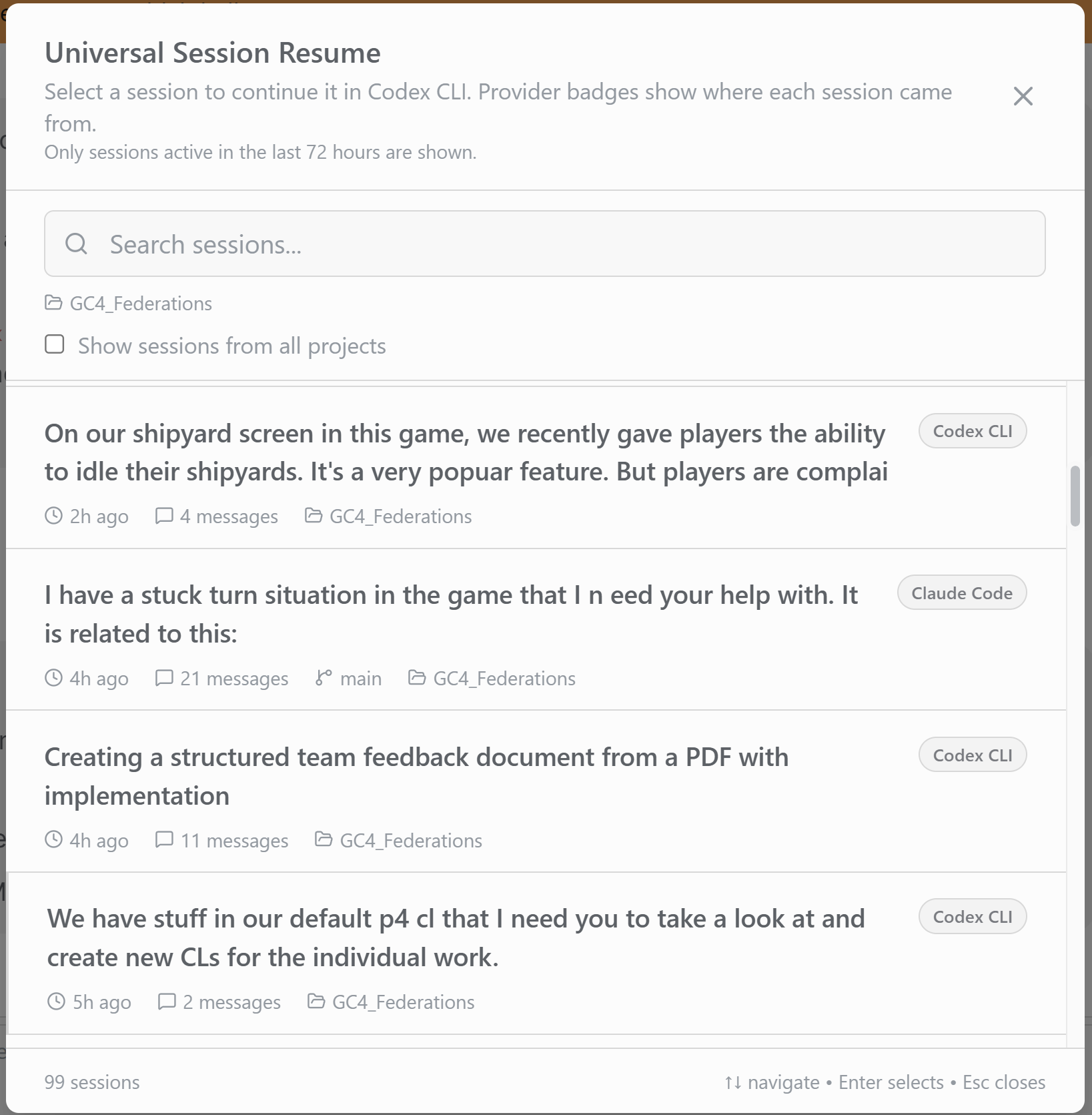
Universal Resume to restart a conversation from any previous model
Templates. Built-in editors for markdown, canvases, databases, and more, designed for humans and agents to share. Your staff can build flowcharts, org charts, reports, and diagrams right in them, and you can edit the same files by hand.
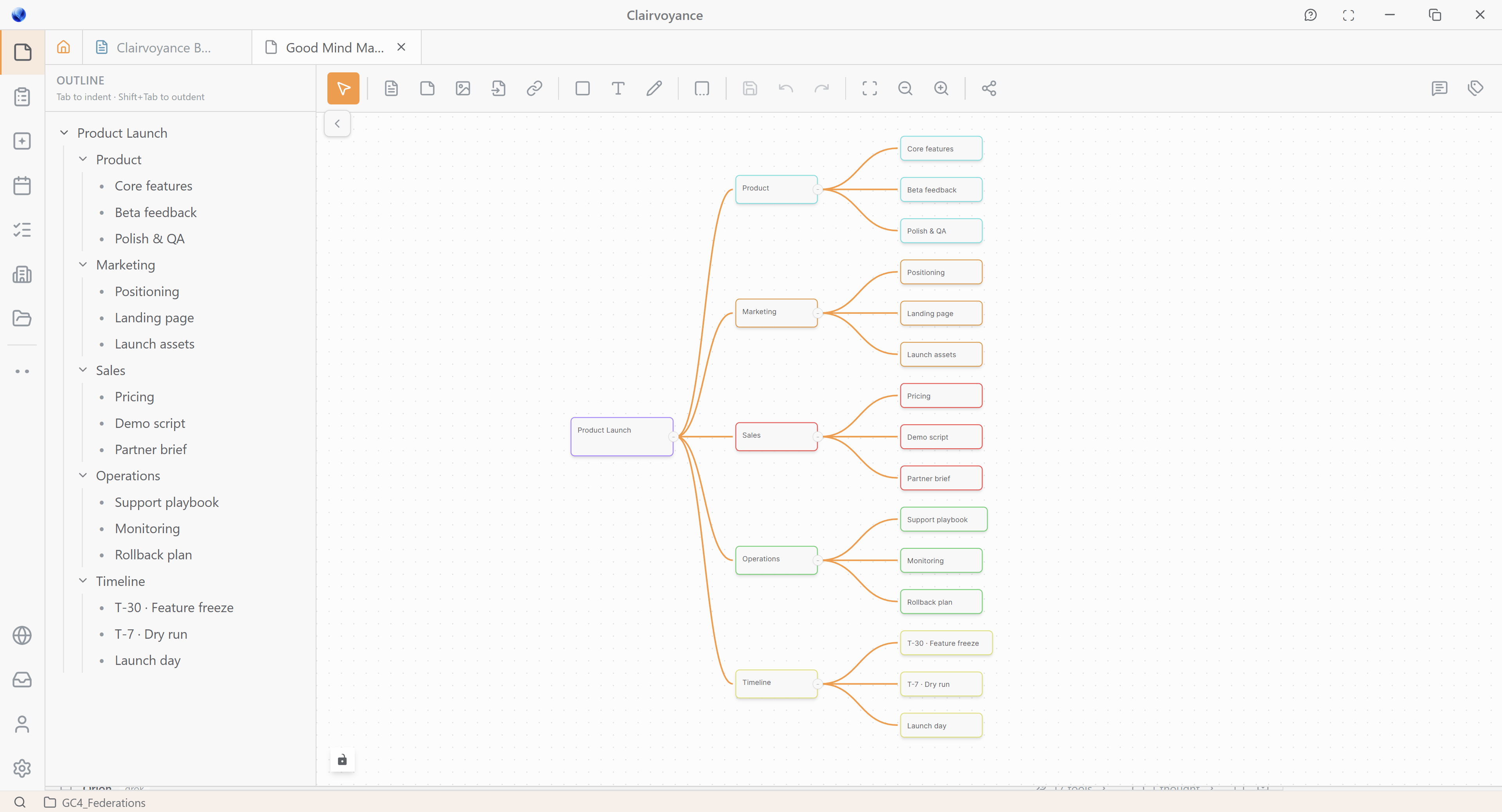
Rich canvas views allow for creation of flow charts, decisions trees, system diagrams and more.
Context compression. Clairvoyance filters token-burning clutter out of the context before it ever leaves your machine, which cuts costs and pushes cache hit rates past 99 percent. It can also show you exactly where your tokens are going.
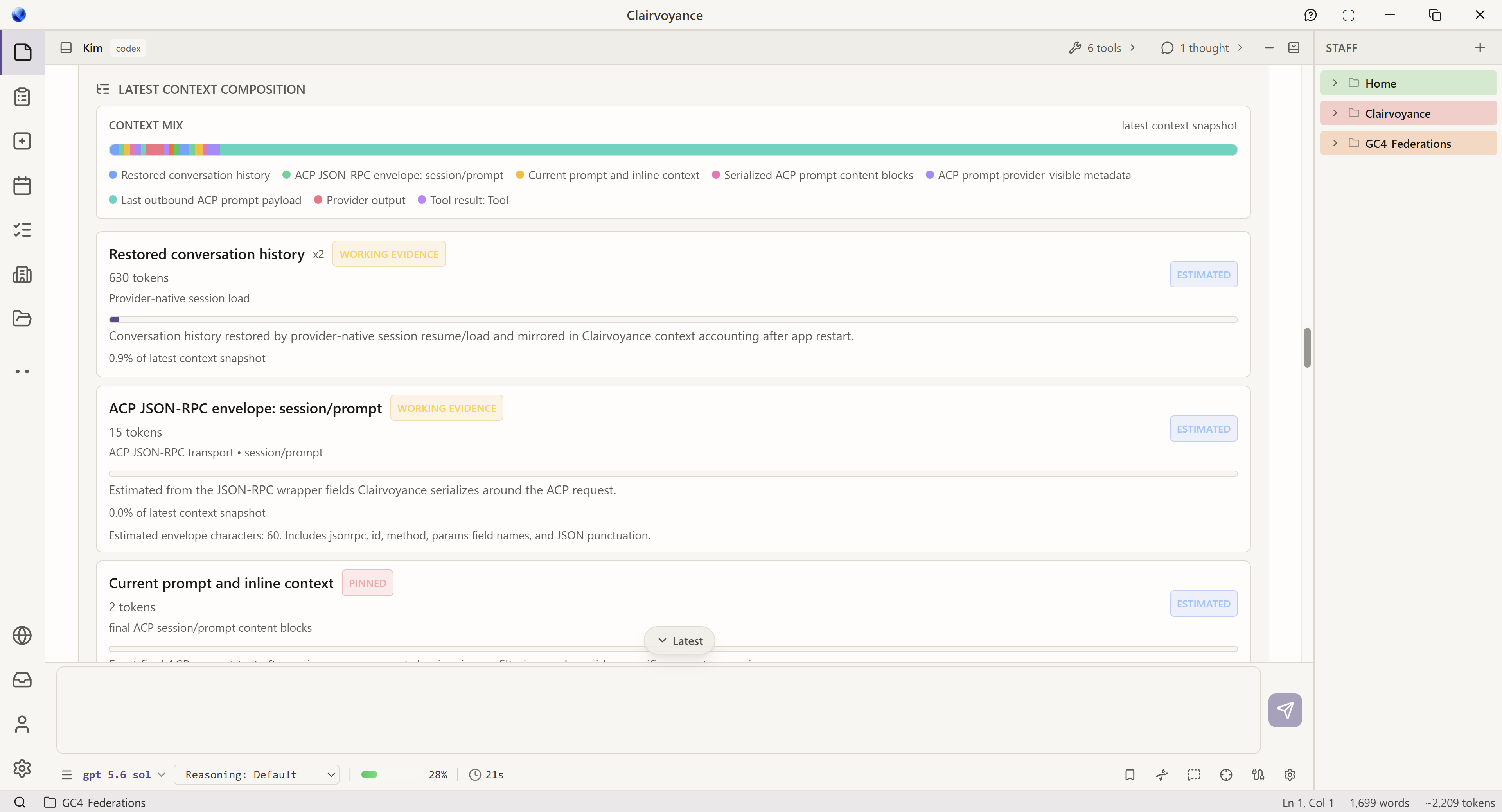
Usage views to easily understand how tokens are being utilized
HomeDesk artifacts. Small AI-enabled apps that live on your dashboard, now including a Jira manager, a Help Desk, an AI task scheduler, job templates, and an AI model manager. They look like desktop widgets, but your agents can operate them directly.
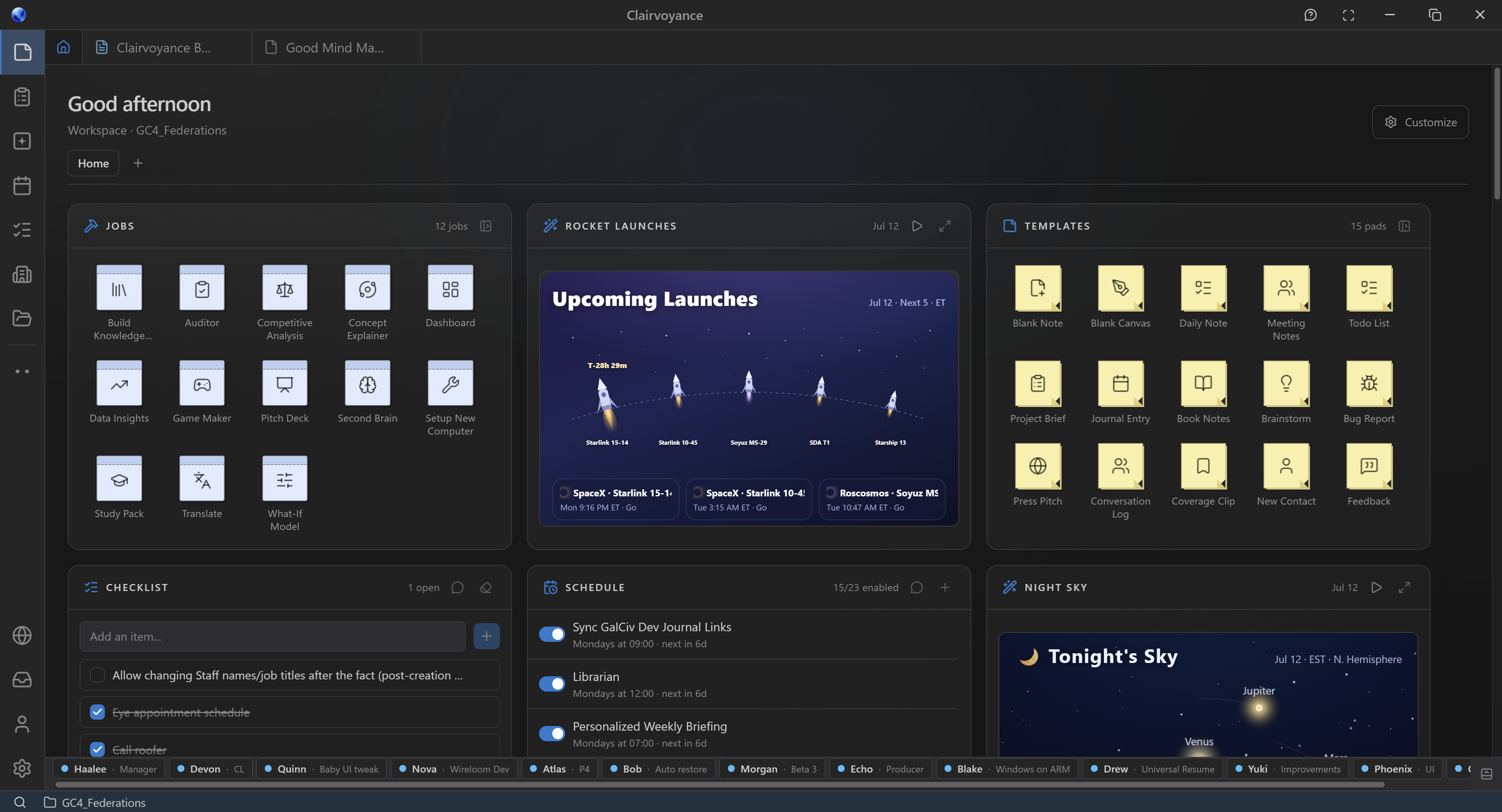
Artifacts create personalized views into what matters most to you
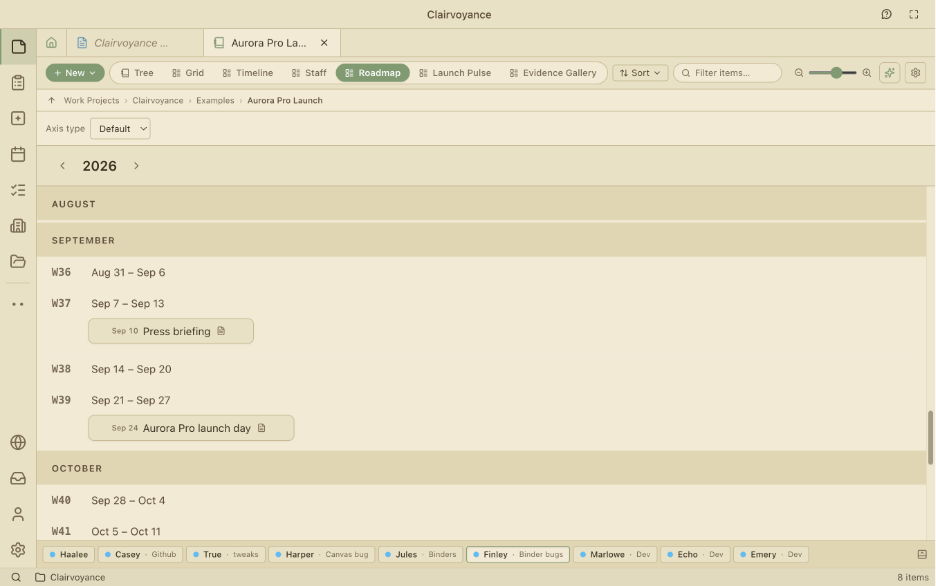
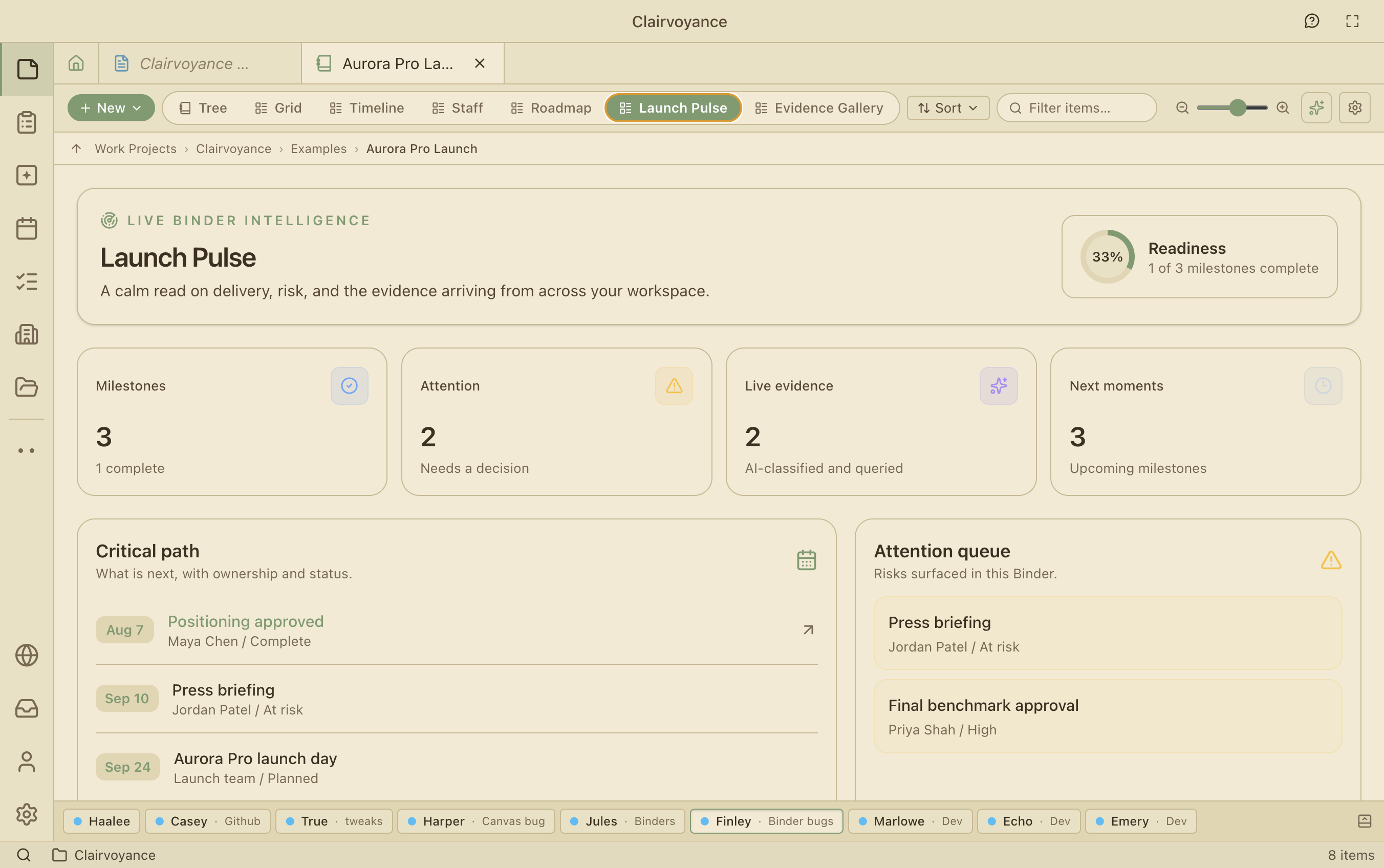
Binders. A mini file system built around a subject instead of a location. Your staff find and connect related data in the background, and each Binder's view adapts to what is inside, so a binder of release dates becomes a calendar and a binder of images becomes a gallery.
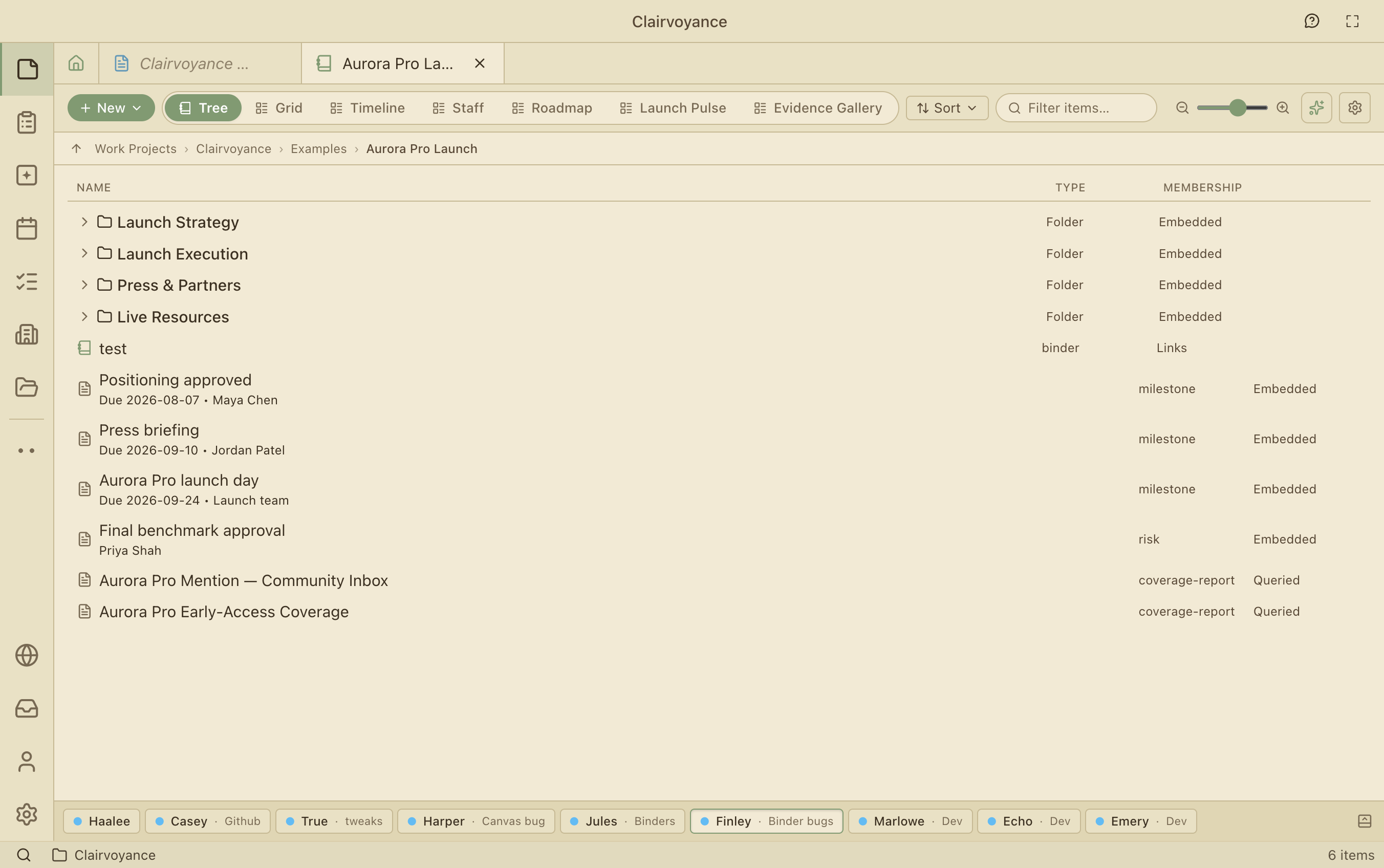
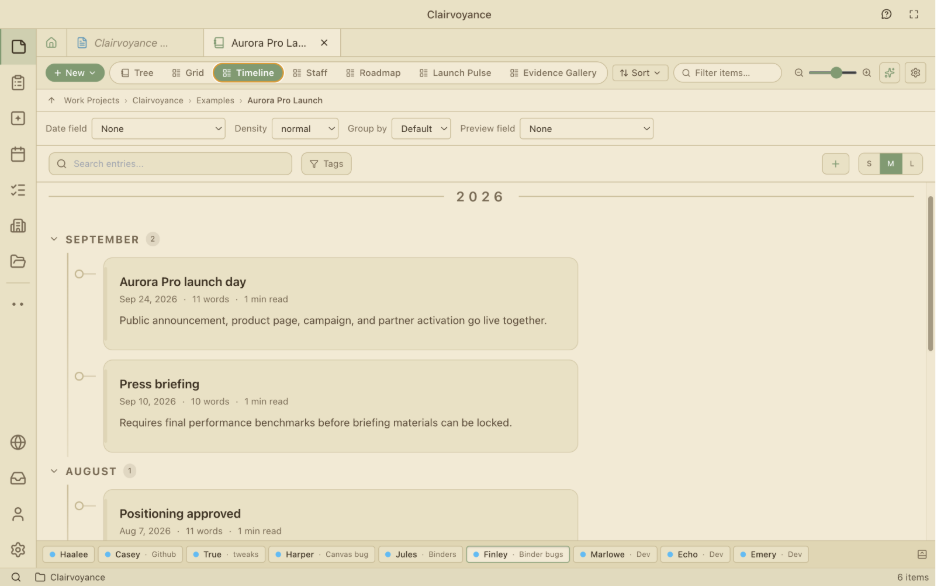
Domains. Cloud-backed collaboration for teams, with chat, shared files, and real-time work on Binders and notes. Paste in a URL from OneDrive, SharePoint, Google Drive, or Dropbox and your staff can work with it like any other file.
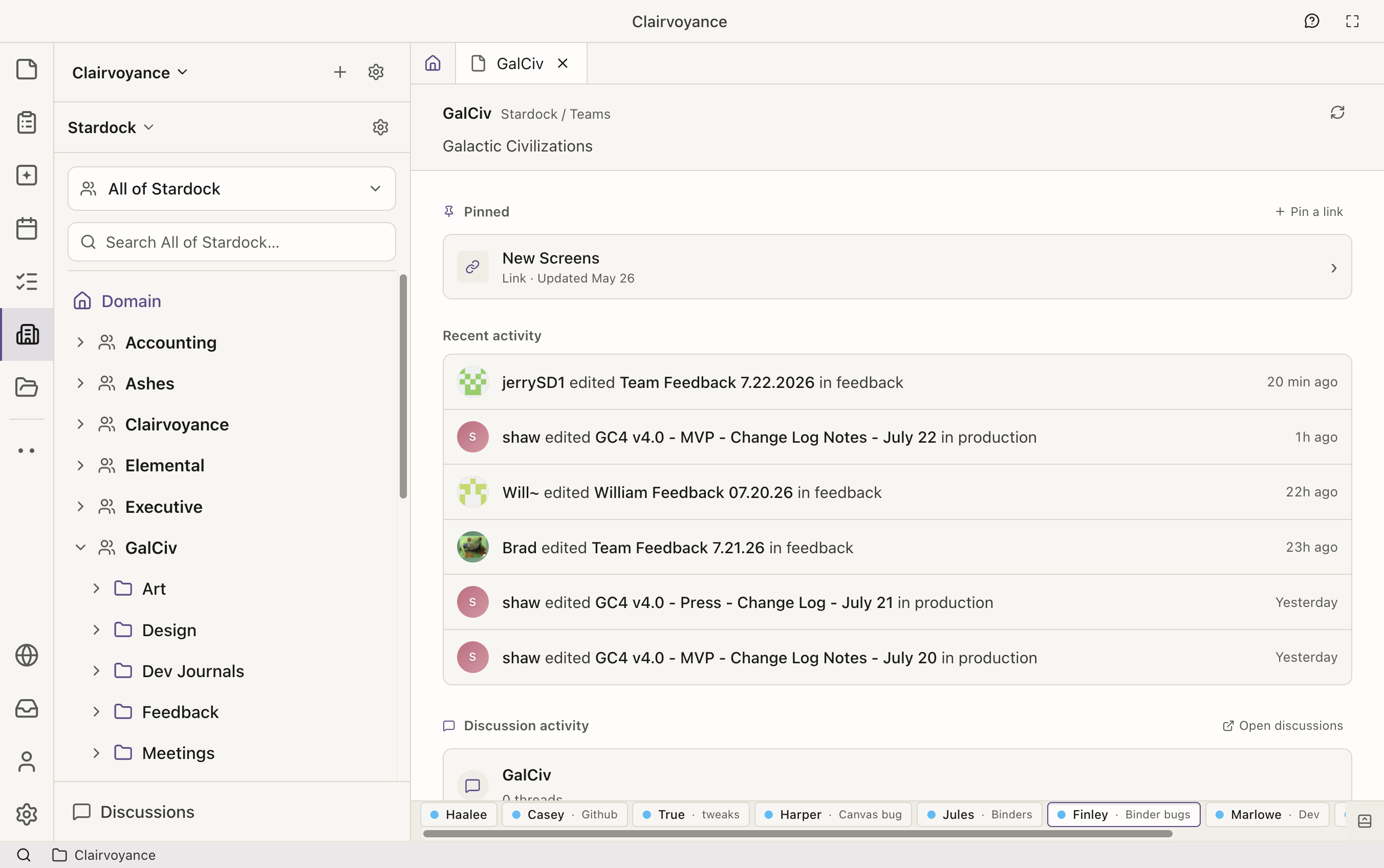
Domain view of Stardock's Game Planning inside of ClairvoyanceAI
Remote access. Your agents run on your desktop, but you can reach them securely from any web browser and ask them to check in a file or start a build while you are away from your desk.
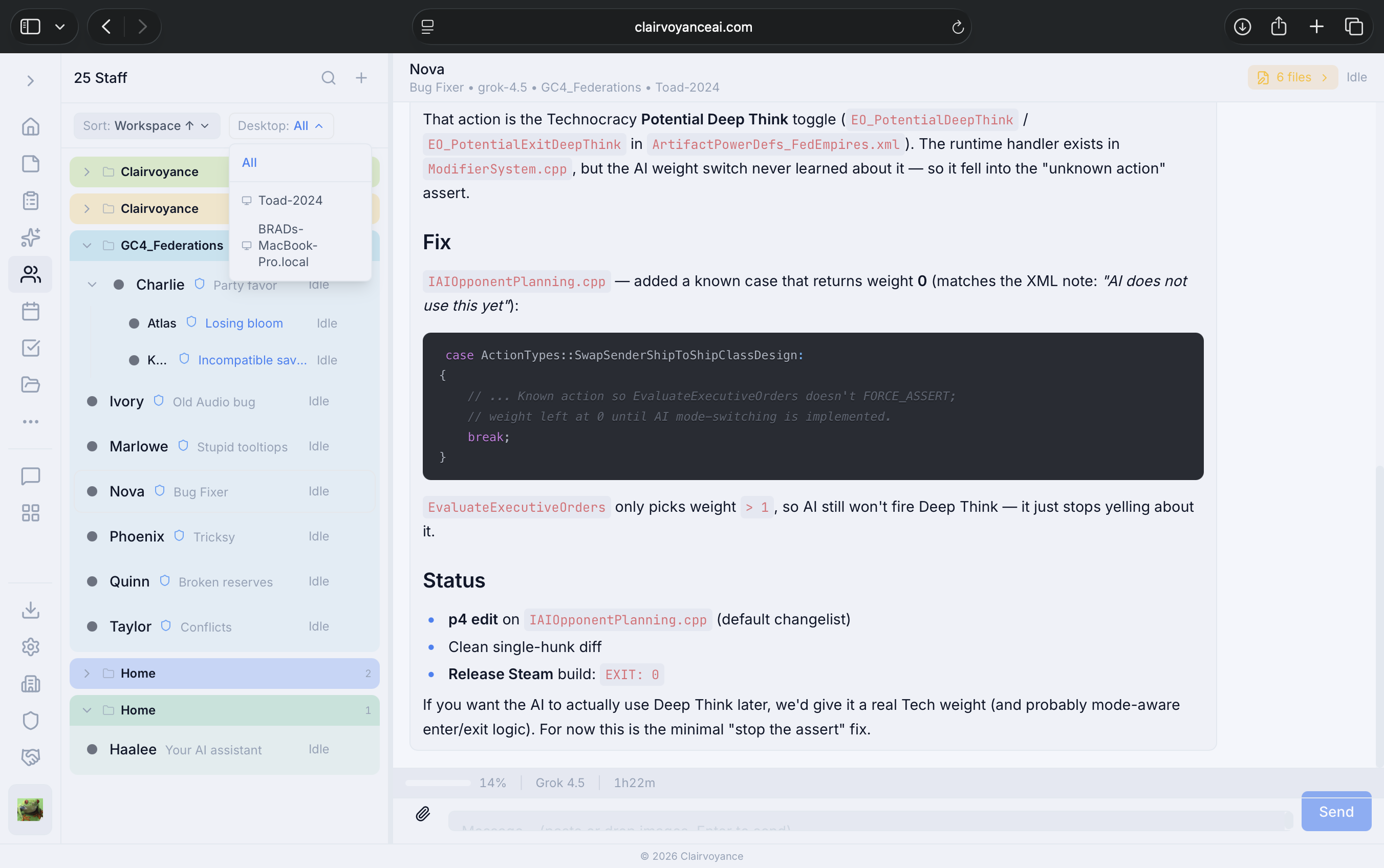
ClairvoyanceAI web view allowing remote access to staff
Clairvoyance Beta 3 is available today as a free download. To learn more about the app, check out the website at www.clairvoyanceai.com, join the conversation in the forums, or jump into the active chats in the Discord community.

