


Snipboard Beta 2 Brings a Movable Snip Bar, Previews, and More
Article posted on 10/7/2026
Today we are releasing the first update for Snipboard, and it brings more control over where the paste bar opens, a way to see a whole clip before you paste it, new privacy options, and a number of fixes. The update is rolling out now or you can download it here.
Much of this release is centered on the snip bar. You can now drag it to a new spot by grabbing the handle on its inner edge, and outlines show every place it can go, including a floating popup that opens right next to your pointer. The bar can also be pinned so it stays open while you work, with each paste going into whichever app you last clicked. If you use more than one monitor, there is a new option to open the bar on the monitor with your pointer or always on your primary display, and mouse fans can now open it by pushing the pointer against the edge of the screen.
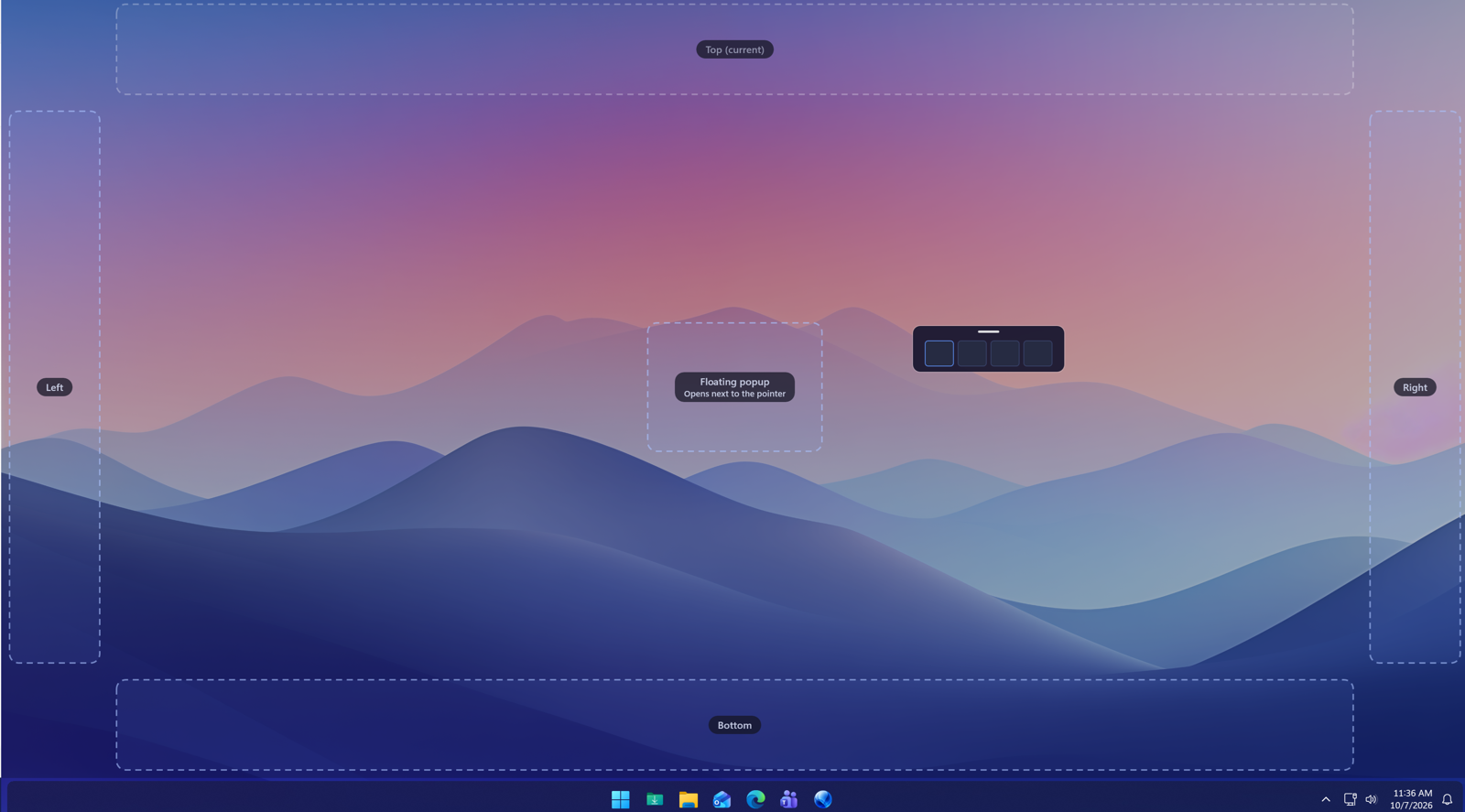
Grab the Snipboard edge and drag it to another area on your display
Seeing what you are about to paste is easier too. Right-click a card and choose Preview, or just hold Shift, to see all of the text or the full image with Copy and Paste buttons right there. You can also have the preview open when the pointer rests on a card, and choose a Small, Medium or Large preview size.
On the privacy side, the new Temporary copy (Win+Alt+C) copies something Snipboard forgets on its own after anywhere from a minute to an hour. It is never sent to your other devices, and it is cleared from the clipboard if it is still there. Temporary mode is now called Private mode, and settings have been reorganized with a new General page and a tutorial you can replay from About.
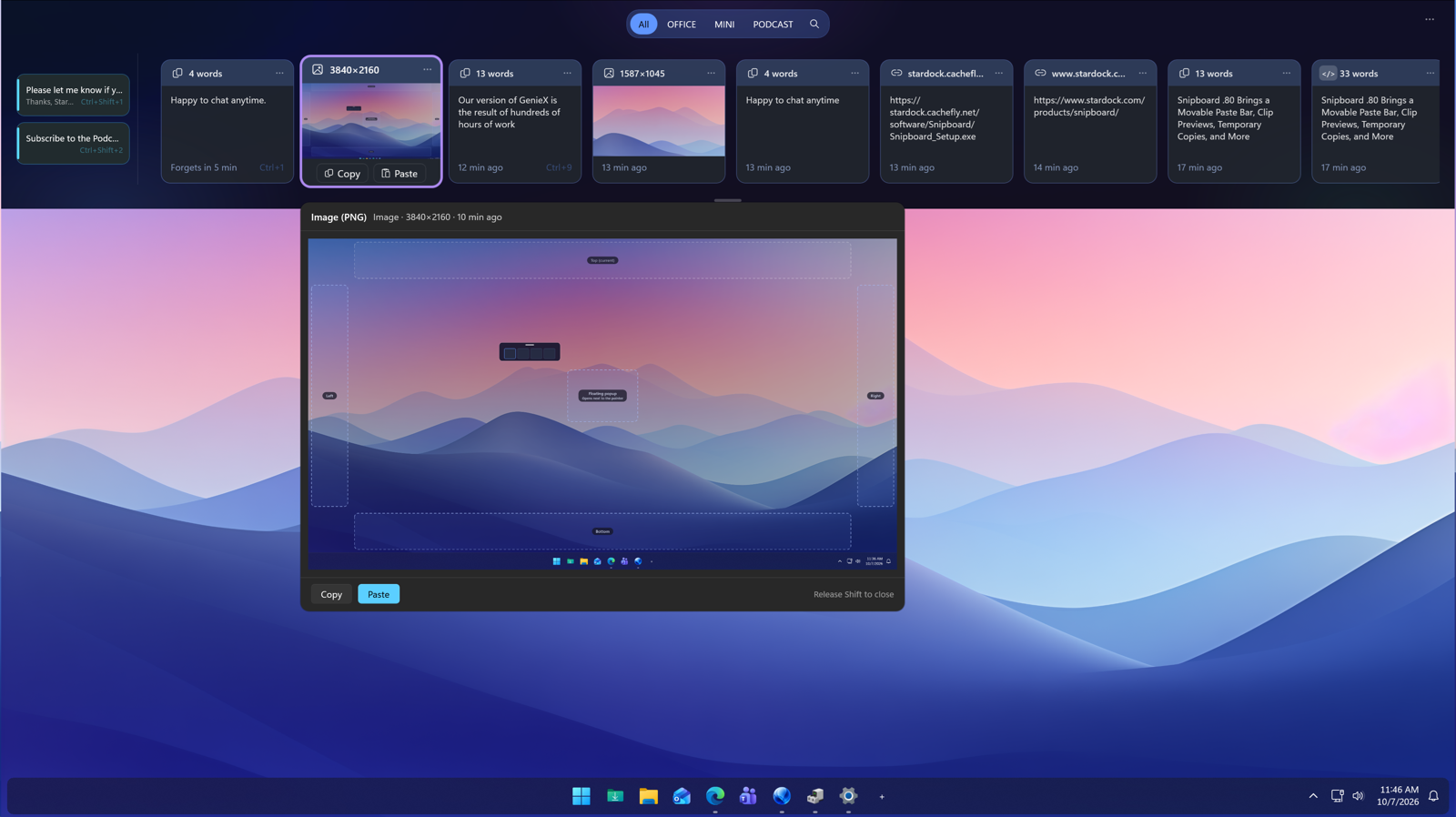
Hold shift to preview items, temporary copy timer on the first item
There is also a new, minimal, compact option as well. While the UX and UI is still being finalized, we wanted to provide an early look at this upcoming element to get user feedback. Rounding out the release are fixes for sync between devices, a new Reset sync option for a device that won't reconnect, and a fix for the tray icon disappearing when Windows Explorer restarts.
If you haven't tried Snipboard yet, you can learn more about it on the app page, and if you have any feedback, make sure to let us know in the forums, as this beta is being shaped directly by how you are using it.

